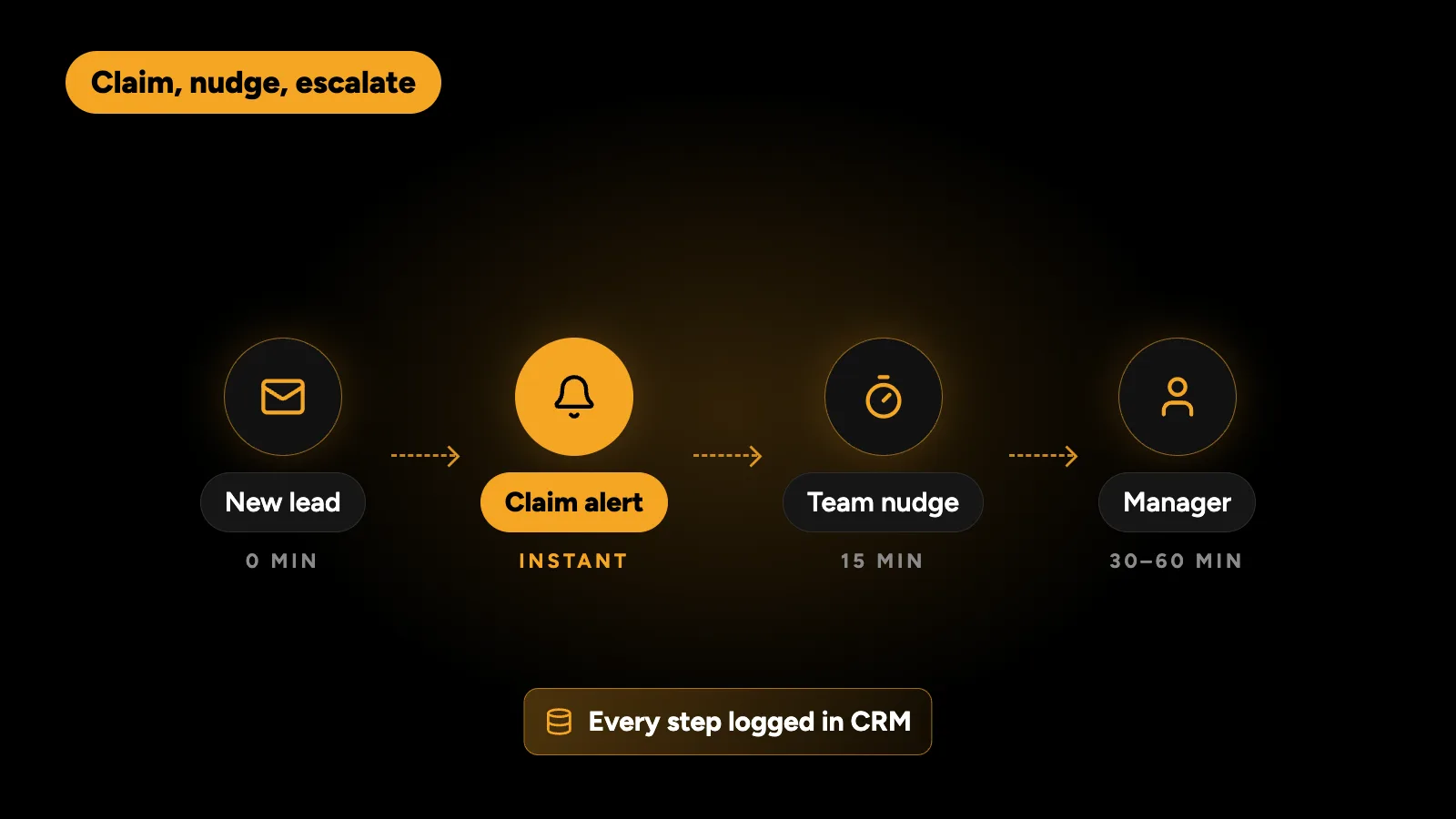
Speed-to-lead automation makes sure every new enquiry gets a reply within minutes, not hours. It works by capturing every lead in one place, alerting the right person instantly on Slack or WhatsApp with a button to claim it, nudging after 15 minutes if nobody has, escalating to a manager if it’s still unclaimed, and logging everything in your CRM with a daily report. Fast replies win more deals, and automation is the only reliable way to make them happen every time.
Why does lead response time matter?
The best-known study is “The Short Life of Online Sales Leads”, published in Harvard Business Review in 2011. Its findings:
- Companies that contacted a lead within an hour were nearly seven times as likely to qualify it as those that waited longer.
- They were more than 60 times as likely as companies that waited 24 hours or more.
- The average first response across the companies studied was 42 hours.
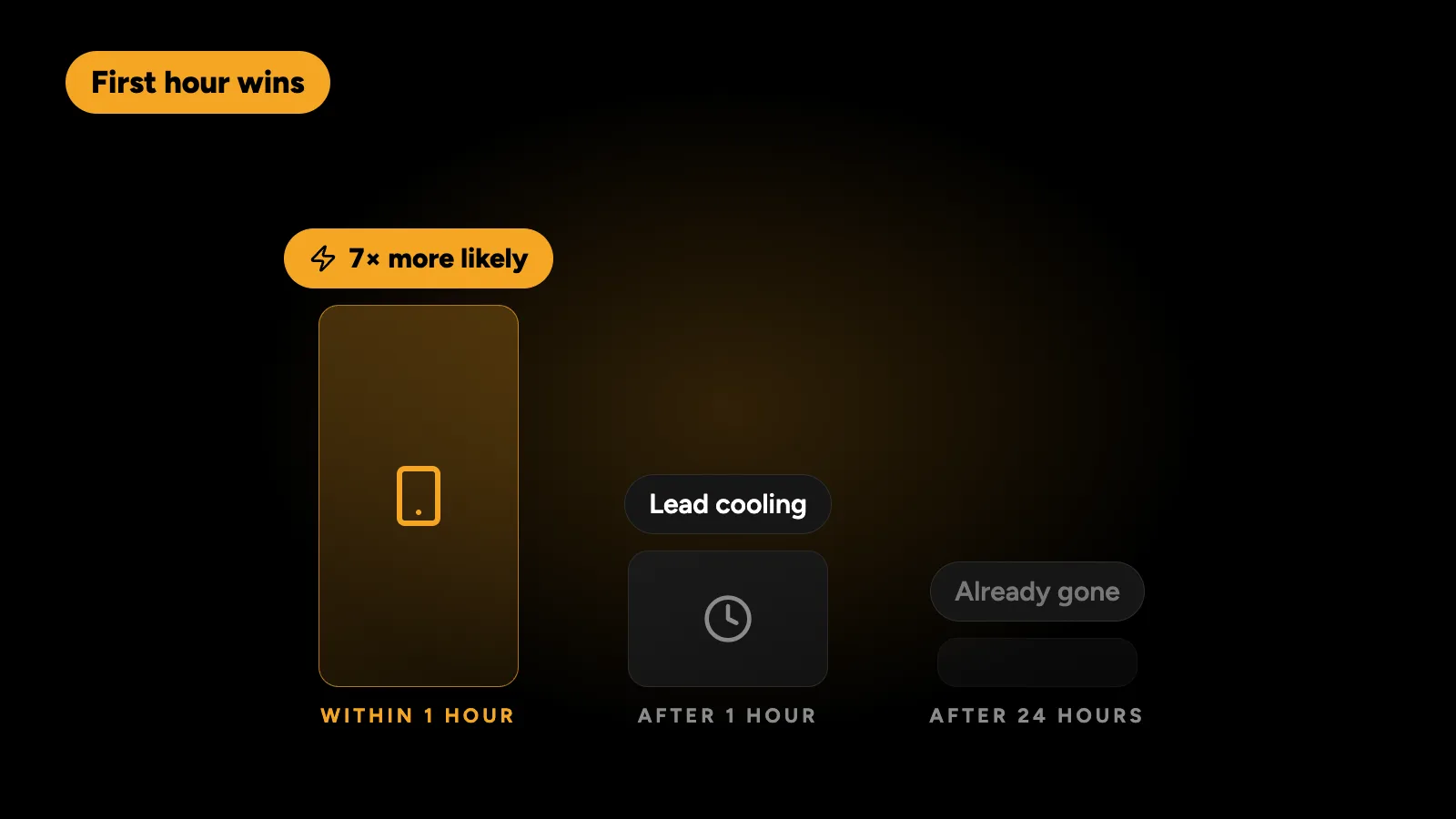
The study is old, but the behaviour behind it hasn’t changed. People who fill in a form usually contact several businesses. The first useful reply often wins, before the others have opened their inbox.
Why do teams reply slowly?
It’s rarely laziness. The usual causes are:
| Cause | What happens |
|---|---|
| Leads arrive in different places | Website forms, WhatsApp, email, ads and calls each land somewhere different |
| No clear owner | Everyone assumes someone else replied |
| Notifications get buried | A form email sits under fifty other emails |
| After-hours leads | Enquiries at night wait until the next afternoon |
| No visibility | Managers can’t see which leads were ignored |
Automation fixes the system, so speed doesn’t depend on someone remembering.
How does a speed-to-lead workflow work?
This is the workflow I build, usually in n8n:
1. Capture every lead in one place
Website forms, landing pages, Facebook and Google lead ads, WhatsApp and email enquiries all feed into one workflow. Each lead is cleaned up: phone numbers formatted with the country code, duplicates checked against the CRM, and the source recorded so you know which ads produce real customers.
2. Reply to the lead instantly
The lead gets an immediate, personal message by email or WhatsApp confirming you received it and saying when to expect a call. This alone stops many people from contacting the next business on their list.
3. Alert the team with a claim button
The right person or team gets an alert on Slack, Microsoft Teams or WhatsApp with the lead’s details and a Claim button. Leads can be routed by service, country, language or round robin. Claiming records who owns the lead and when.
4. Nudge after 15 minutes
If nobody claims the lead within 15 minutes (or whatever window suits your business), the workflow sends a reminder to the same group.
5. Escalate if it’s still unclaimed
After a second window, the lead goes to a manager or a backup team. Nothing sits unowned.
6. Track the callback
When someone claims a lead, the workflow can ask them a quick question after the call: reached, no answer or call back later. No answer triggers a follow-up reminder and a polite message to the lead.
7. Report every day
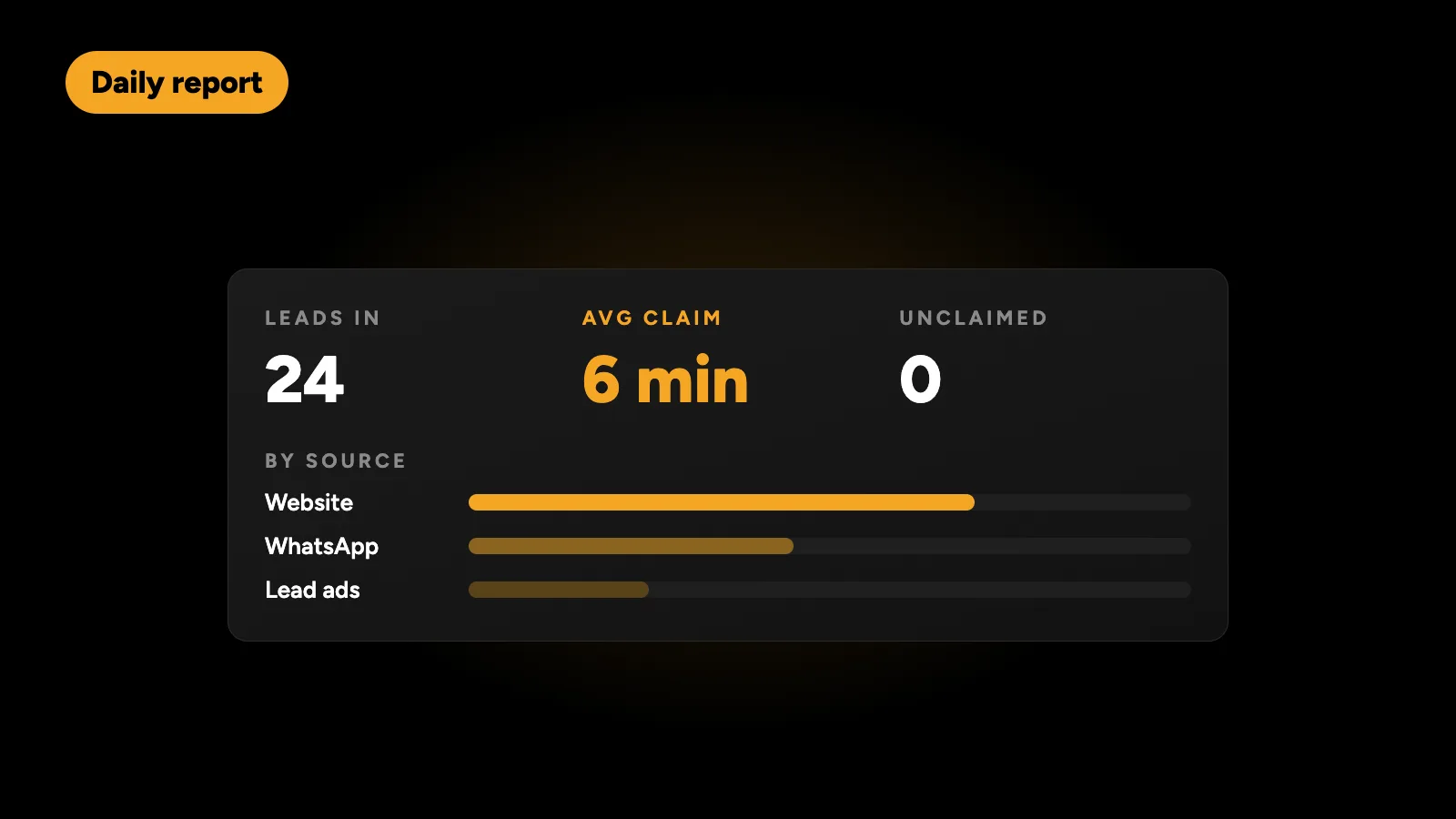
Each morning, the workflow posts a summary: leads received, average time to claim, unclaimed leads, and leads by source and by person. Managers see the problem before it costs a week of deals.
8. Keep the CRM up to date
Every step is written to your CRM, such as HubSpot, Zoho, Pipedrive or a Google Sheet, so the record is complete without anyone typing it in.
What does the workflow look like end to end?
| Step | Trigger | Action | Typical timing |
|---|---|---|---|
| Capture | Form, ad, WhatsApp or email | Clean, deduplicate, save to CRM | Instant |
| Auto-reply | New lead | Email or WhatsApp to the lead | Under a minute |
| Alert | New lead | Slack or WhatsApp alert with Claim button | Under a minute |
| Nudge | Not claimed | Reminder to the team | 15 minutes |
| Escalate | Still not claimed | Alert a manager | 30 to 60 minutes |
| Callback | Claimed | Ask for the call outcome | After the call |
| Report | Every morning | Summary to Slack or email | Daily |
What about leads outside working hours?
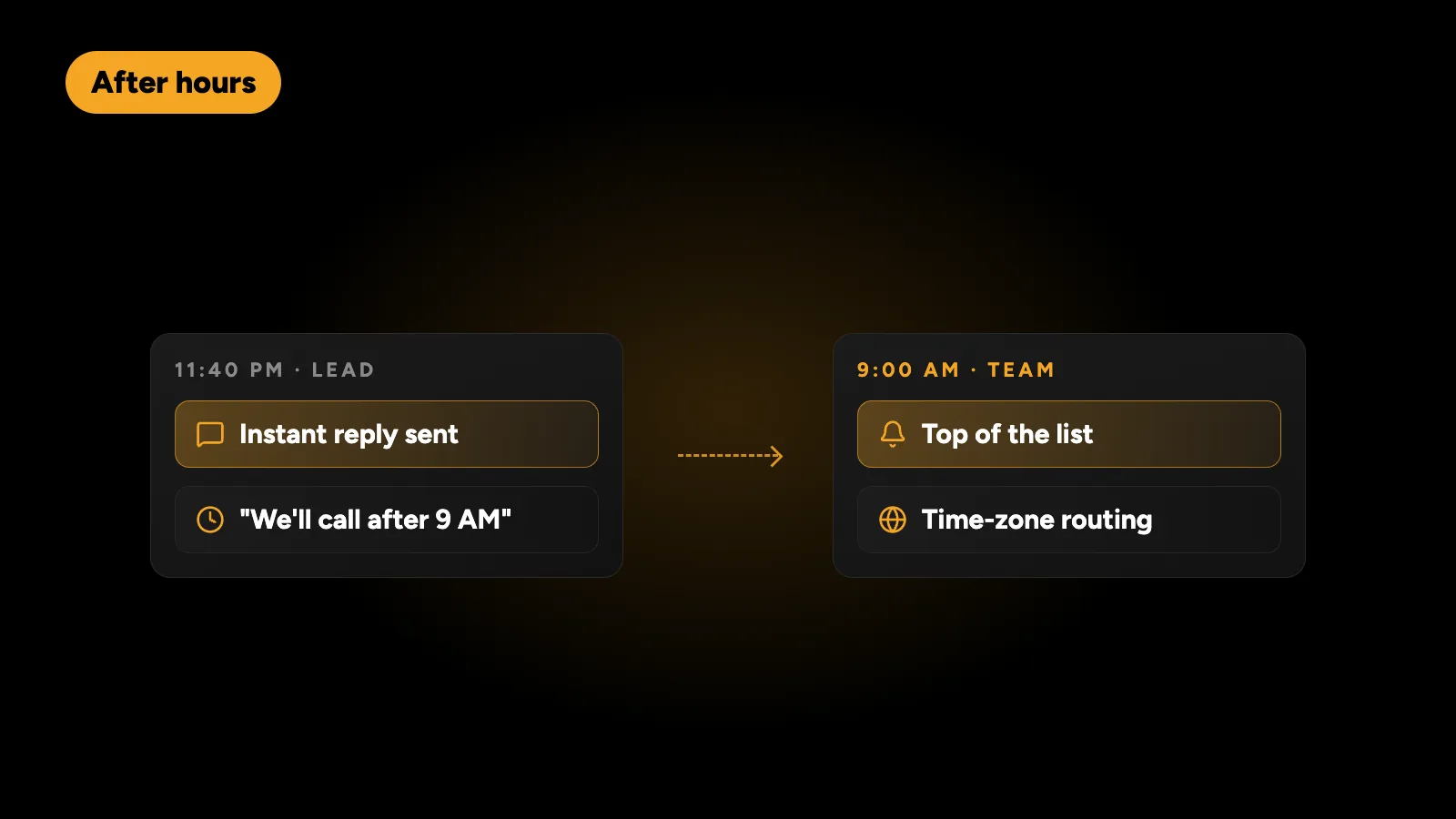
Set business hours in the workflow. Out-of-hours leads still get the instant reply, with honest expectations such as “we’ll call you after 9 AM”. The team alert is held until opening time, with those leads at the top of the list. For businesses in the UAE serving clients abroad, or Australian firms with US enquiries, time zone rules can route leads to whoever is working.
Which tools do I need?
| Part | Common options |
|---|---|
| Automation | n8n, Make or Zapier |
| Team alerts | Slack, Microsoft Teams, WhatsApp |
| Lead messages | WhatsApp Business API, email |
| CRM | HubSpot, Zoho CRM, Pipedrive, Google Sheets |
| Forms and ads | Website forms, Facebook and Google lead ads |
I usually build this in n8n, because the wait, nudge and escalation steps run many times per lead, and n8n doesn’t charge per step. The trade-offs are explained in n8n vs Zapier vs Make.
Results to expect
The goal is measurable: the time from enquiry to first human contact. Before automation, many teams don’t know this number at all. With the daily report, they see it every morning, and it drops because no lead can go unnoticed. I run this kind of workflow on my own products, and the pattern is consistent: fewer leads forgotten, faster first calls and a clear record of who handled what.
Is speed-to-lead automation worth it?
If your business gets more than a handful of enquiries a week and one new customer is worth more than a few hours of a developer’s time, it usually is. It’s also a good first automation, because the result is easy to measure. If your enquiries come through your website, make sure the site itself is fast too; slow pages lose leads before they reach the form, as covered in the WordPress performance checklist.
I build speed-to-lead workflows in n8n, Zapier and Make with Slack, WhatsApp and your CRM, for businesses in the UAE, Australia, the US and the UK. Tell me where your leads come from and get a fixed quote within 24 hours.