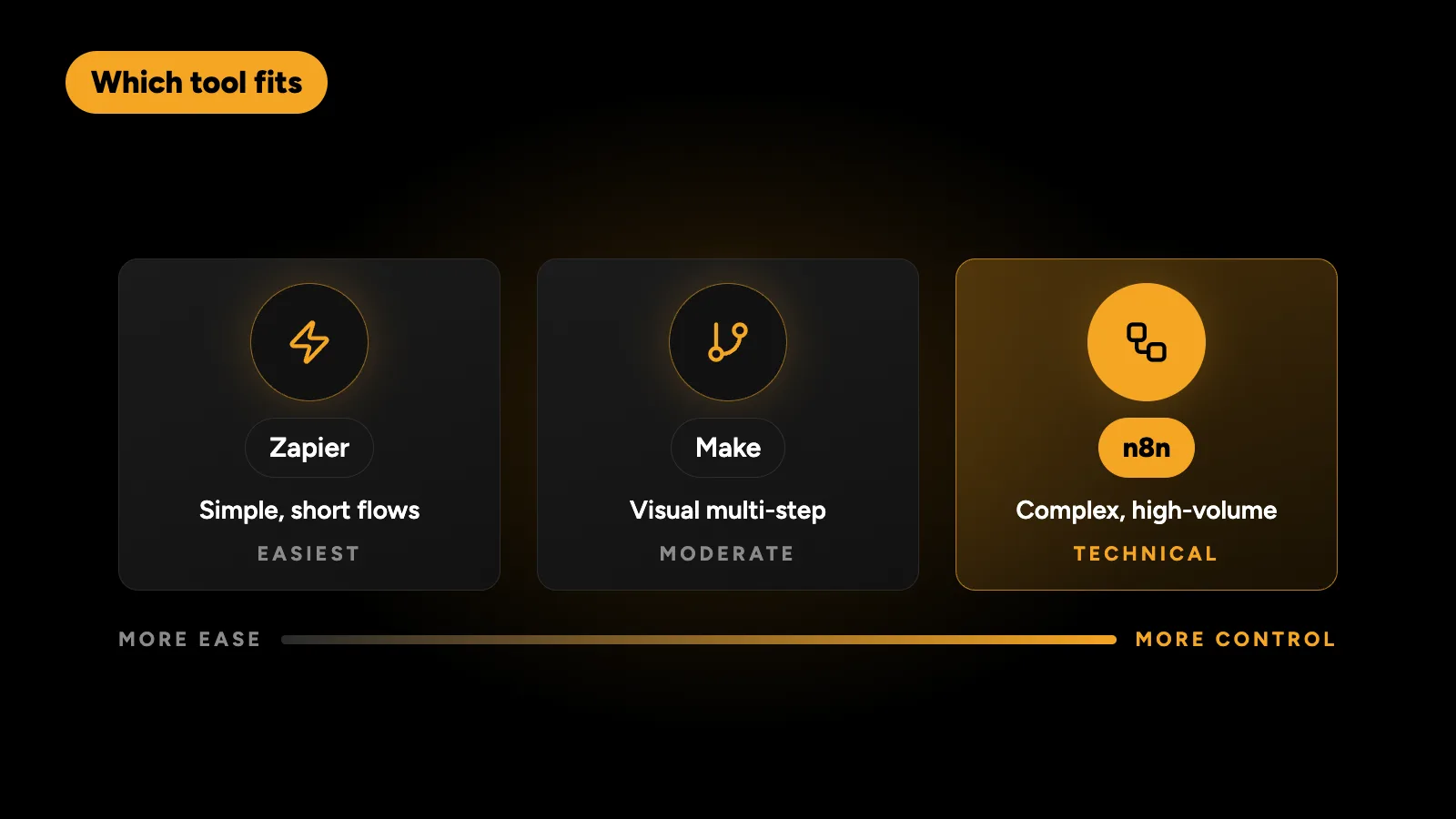
Choose Zapier if you want the easiest setup and the most ready-made app connections, and your workflows are simple. Choose Make if you want visual, multi-step scenarios at a lower cost per step than Zapier. Choose n8n if your workflows are complex, run often or handle sensitive data, because it can be self-hosted, supports custom code and doesn’t charge for each step. Many businesses start on Zapier and move to n8n once their bill or their workflows grow.
How do n8n, Zapier and Make compare?
| Zapier | Make | n8n | |
|---|---|---|---|
| Best for | Simple two- or three-step automations | Visual multi-step scenarios | Complex, high-volume or sensitive workflows |
| Ease of use | Easiest | Moderate | Moderate to technical |
| How you pay | Per task (each action that runs) | Per operation or credit (each module that runs) | Per workflow execution on cloud; free to self-host |
| Cost as volume grows | Rises fastest | Rises steadily | Lowest, especially self-hosted |
| Ready-made integrations | The most | Many | Fewer, but any API works through HTTP nodes |
| Custom code | Limited | Limited | Full JavaScript or Python in workflows |
| Self-hosting | No | No | Yes |
| Data control | Vendor’s cloud | Vendor’s cloud | Your own server if self-hosted |
| Branching and loops | Basic | Strong | Strong |
| Error handling | Basic | Good | Good, with error workflows |
Check each vendor’s pricing page for current plans: Zapier, Make and n8n. Plans change often, so compare them against your own monthly volume rather than the headline price.
Why does the pricing model matter so much?
Because the three tools count usage differently, the same workflow can cost very different amounts.
Take one lead workflow with five steps: receive a form, look up the contact in the CRM, create a deal, send a WhatsApp message and post to Slack. Run it 2,000 times a month.
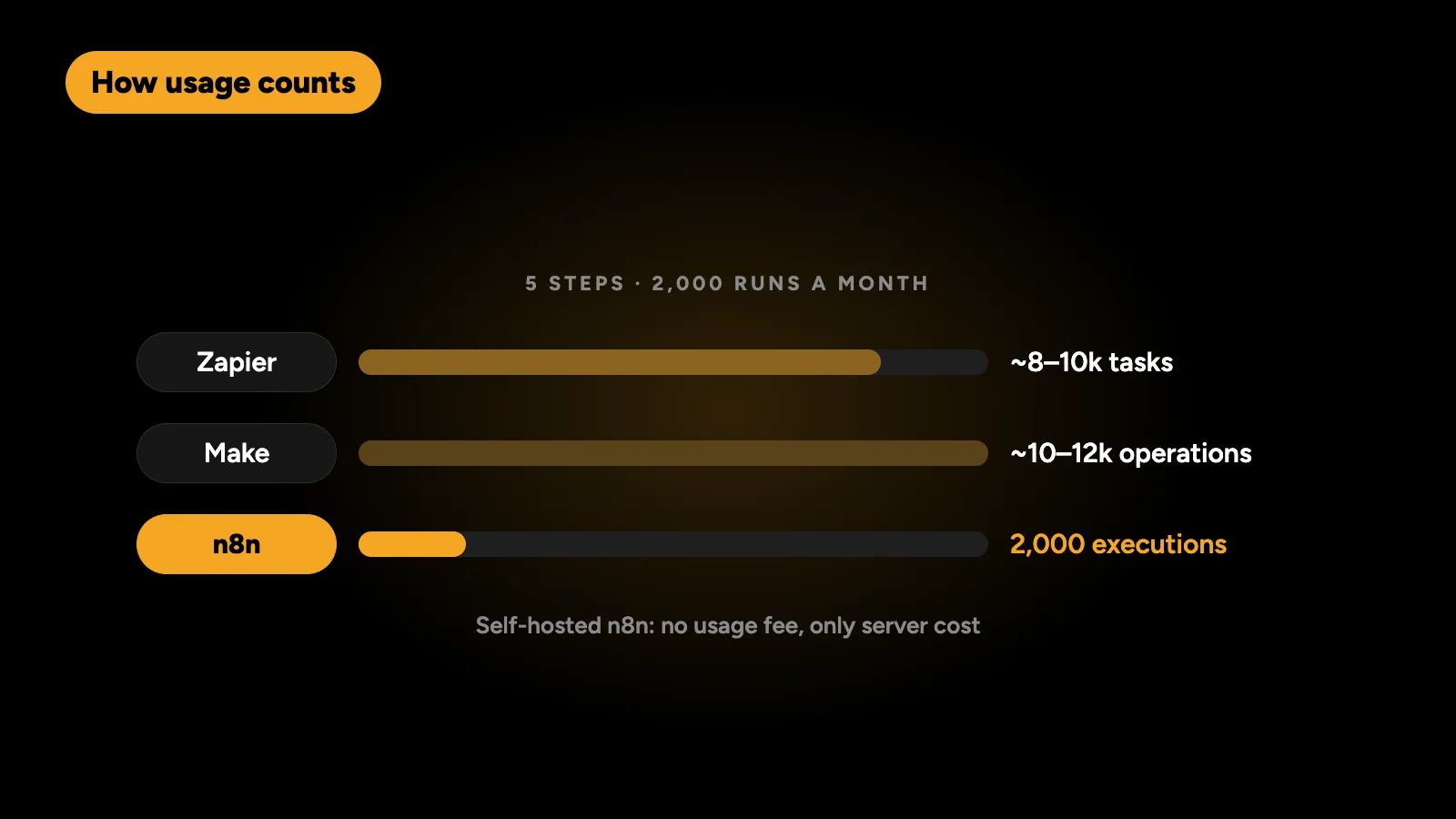
- Zapier counts each action that runs as a task, so this is roughly 8,000 to 10,000 tasks a month.
- Make counts each module that runs as an operation, so this is roughly 10,000 to 12,000 operations a month, usually at a lower price per unit than Zapier.
- n8n cloud counts each full workflow run as one execution, so this is 2,000 executions. Self-hosted, there’s no usage fee, only your server cost.
That difference is why the cost gap widens as you automate more. A workflow with ten steps costs twice as much as a five-step one on Zapier, and the same on n8n.
When is Zapier the right choice?
- You need something working today and nobody on the team writes code.
- Your automations are short: a form to a spreadsheet, a new sale to an email.
- You rely on a niche app that only Zapier connects to.
- Volume is low, so the per-task cost stays small.
Zapier’s strength is breadth and simplicity. Its weakness is cost at scale and limited control over complex logic.
When is Make the right choice?
- Your workflows branch: different paths for different lead types or countries.
- You want to see the whole flow on a visual canvas.
- You need more steps per workflow than Zapier makes affordable.
- You’re comfortable with a moderate learning curve.
Make sits in the middle: more powerful than Zapier, cheaper per step, but still a hosted service where usage drives cost.
When is n8n the right choice?
- Volume is high. Executions instead of steps keep costs flat, and self-hosting removes usage fees.
- Logic is complex. Loops, sub-workflows, retries, waits and custom JavaScript are all available.
- Data is sensitive. Self-hosted, customer data stays on your own server, which helps with privacy requirements in the UAE, the UK, the EU and Australia.
- You use AI steps. n8n handles AI calls well, such as classifying leads or drafting replies, alongside normal workflow steps.
- You want to own the system. Workflows can be exported, version-controlled and moved between servers.
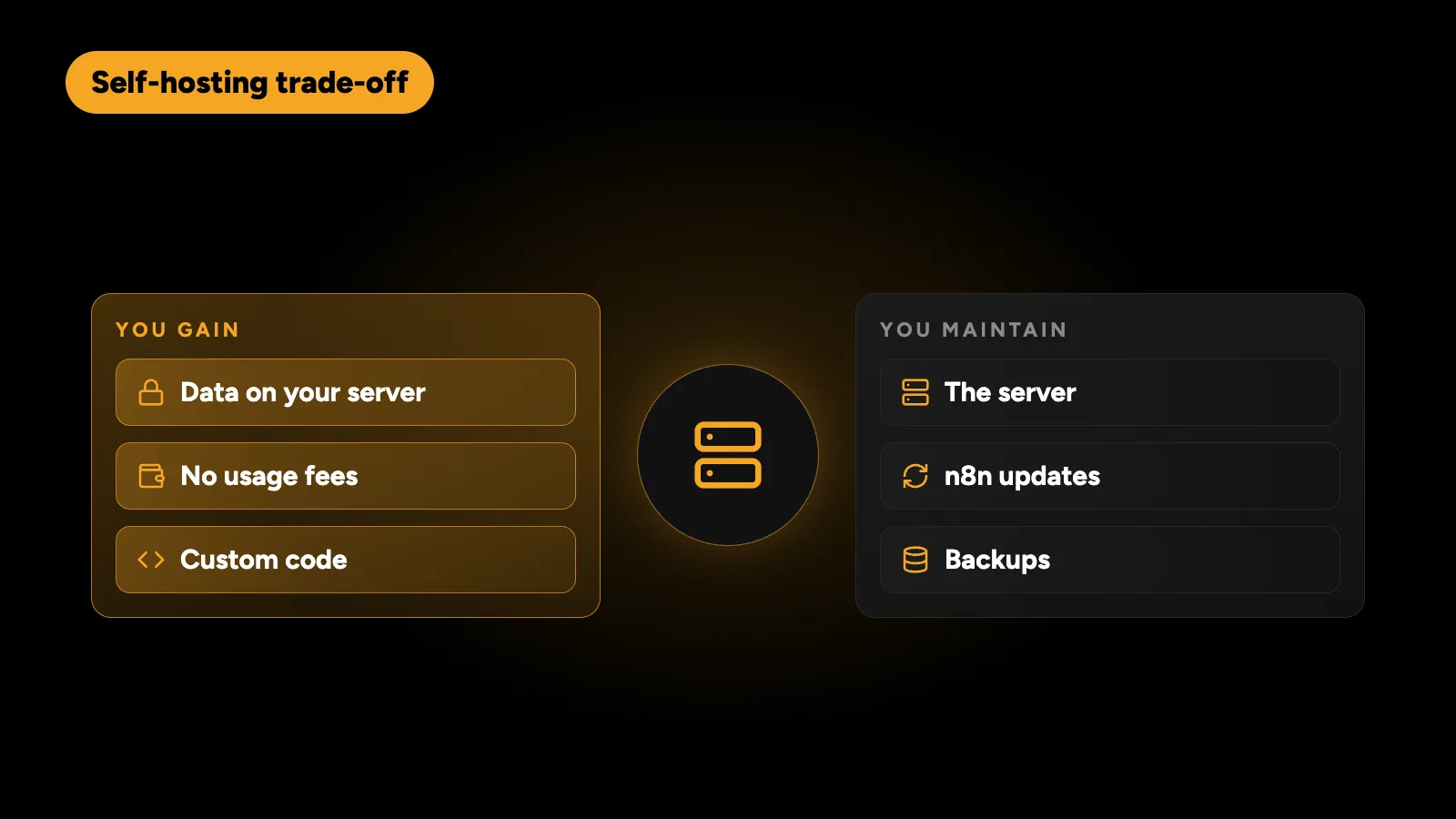
The trade-off is setup. Self-hosting means someone maintains a server, updates n8n and watches backups. n8n’s licence also has conditions; it is free for internal business use, but check the n8n licensing terms if you plan to resell it as a service.
Should I migrate from Zapier to n8n?
Consider it when:
- Your Zapier bill keeps rising and most of it comes from a few high-volume Zaps.
- You’re working around Zapier’s limits with extra Zaps, filters or delays.
- You need custom code or API calls Zapier can’t do cleanly.
- Data residency or client confidentiality matters.
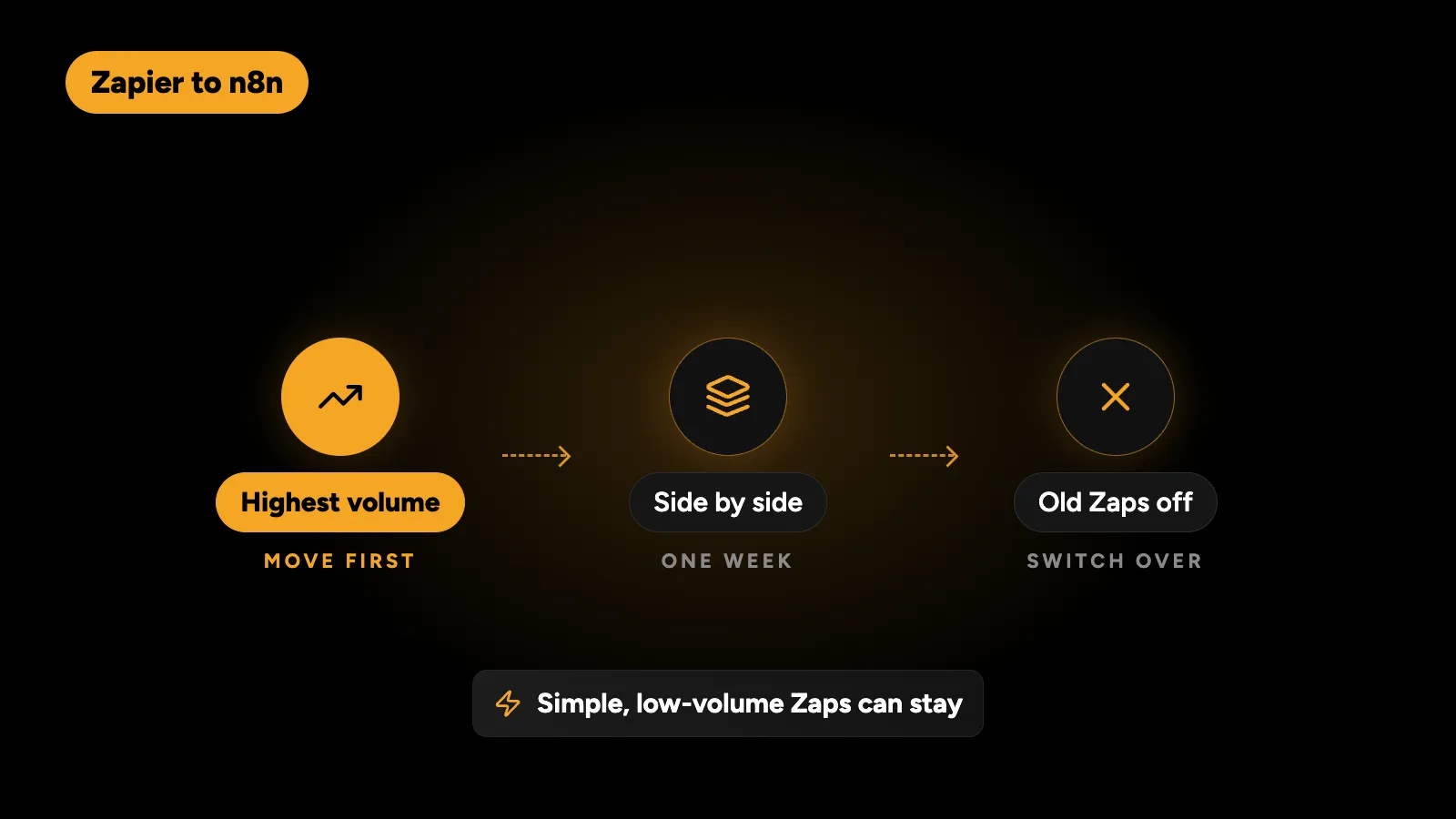
A sensible migration moves the highest-volume workflows first, runs old and new side by side for a week, then switches off the old Zaps. Simple, low-volume Zaps can stay where they are.
What can these tools automate for a small business?
| Workflow | What it does |
|---|---|
| Lead capture and response | Instant reply, team alert, CRM record, follow-up reminders |
| Lead routing | Assign by service, country or round robin |
| Bookings | Confirmations, reminders and no-show follow-ups |
| Invoicing | Create invoices from deals, chase overdue payments |
| Reporting | Daily or weekly summaries posted to Slack or email |
| Reviews | Ask happy customers for a review after a job |
| Onboarding | Accounts, welcome emails and task lists for new clients |
The highest-return workflow for most service businesses is responding to leads quickly. I explain how that works in speed-to-lead automation.
What I use
I’ve built more than 70 n8n workflows for my own products, covering lead handling, onboarding, reporting and internal alerts. For client work I usually recommend n8n for anything complex or high-volume, and keep simple Zaps on Zapier when there’s no reason to move them. If you’re weighing automation against a custom build, choosing the right stack for a digital product covers that decision.
I build n8n, Zapier and Make workflows for businesses in the UAE, Australia, the US and the UK, including migrations from Zapier to n8n. Tell me which process eats your team’s time and get a fixed quote within 24 hours.