Choose Elementor (or Divi) when you need a site quickly, on a tight budget, and want to drag and drop layouts yourself. Choose a custom WordPress theme when the site is your main source of leads and should stay fast and easy to edit for three years or more. A builder site is cheaper upfront; a custom theme usually costs more to build and less to live with.
I build both, so this isn’t a sales pitch for one side. It is a comparison of what you actually pay for, at launch and over the life of the site.
What is the difference between Elementor and a custom theme?
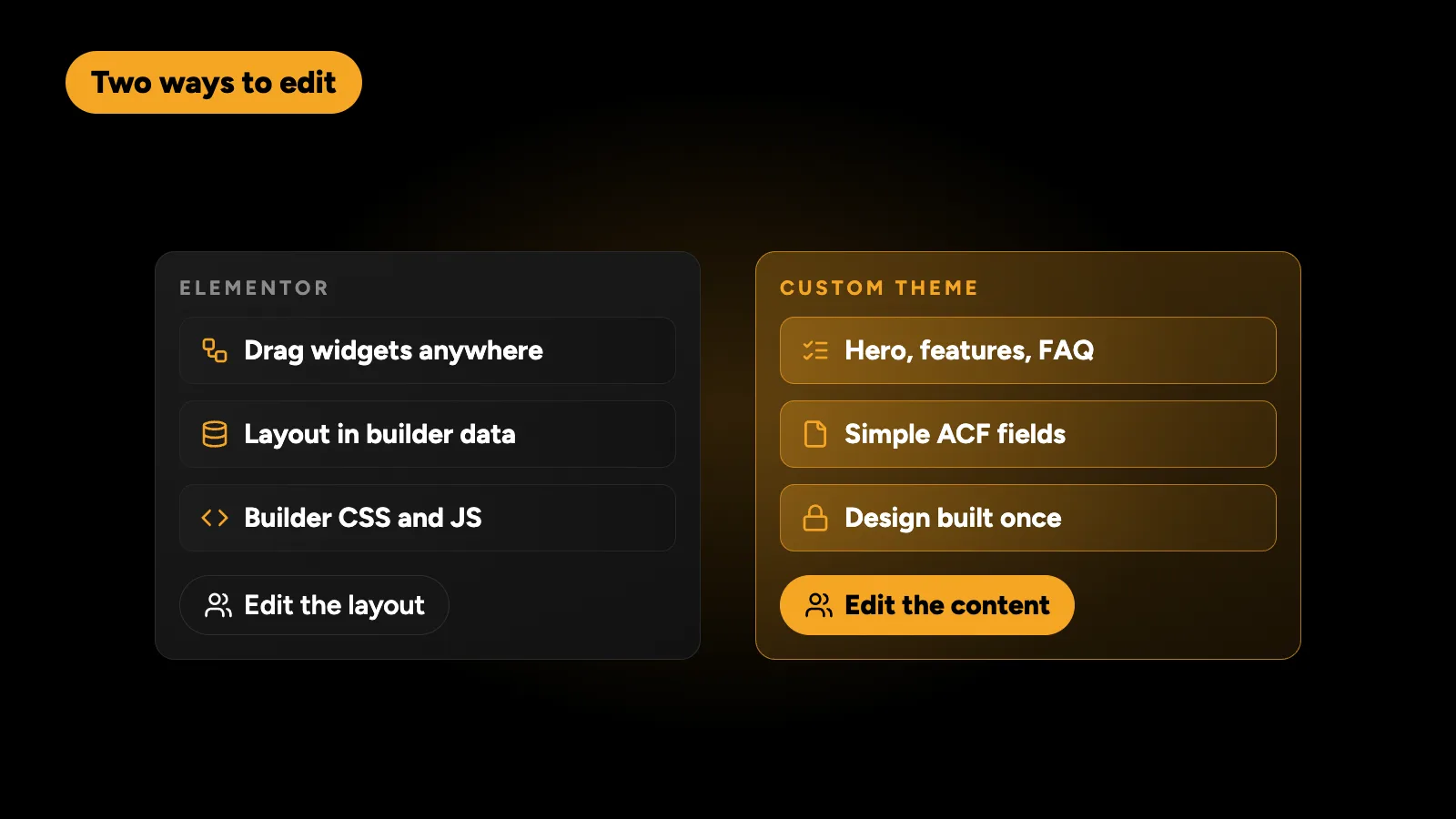
Elementor is a visual page builder. You start from a theme, then design pages by dragging widgets into place. The builder stores your layout in its own format and loads its own CSS and JavaScript to display it.
A custom theme is code written for your business. The design is built once, and each section of a page, such as a hero, a feature list, reviews or an FAQ, is filled in from simple fields, usually with Advanced Custom Fields (ACF). Your team edits content, not layout.
Both are WordPress. Both can be edited without a developer. The difference is how much freedom the editor has, and what that freedom costs in speed and maintenance.
How do they compare side by side?
| Elementor or Divi | Custom theme | |
|---|---|---|
| Upfront cost | Lower | Higher |
| Time to launch | Days to a few weeks | A few weeks |
| Page weight | The builder’s CSS and JS load on every page | Only the code the design needs |
| Core Web Vitals on mobile | Possible, usually needs optimisation plugins | Easier to keep green |
| Editing | Drag and drop anything | Fixed fields and sections |
| Risk of breaking the layout | Higher, anyone can move anything | Low, layouts are locked |
| Content portability | Stored in builder data, hard to move | Standard WordPress fields |
| Plugin count | Often higher, with add-on packs | Usually lower |
| Best for | Campaign pages, tight budgets, short-lived sites | Lead-generating business sites that should last |
Is Elementor bad for SEO and speed?
Not by itself. Google ranks content, relevance and page experience, not the tool that built the page. The issue is weight. A builder has to support every possible layout, so it ships more code than any one page needs, and add-on packs add more on top.
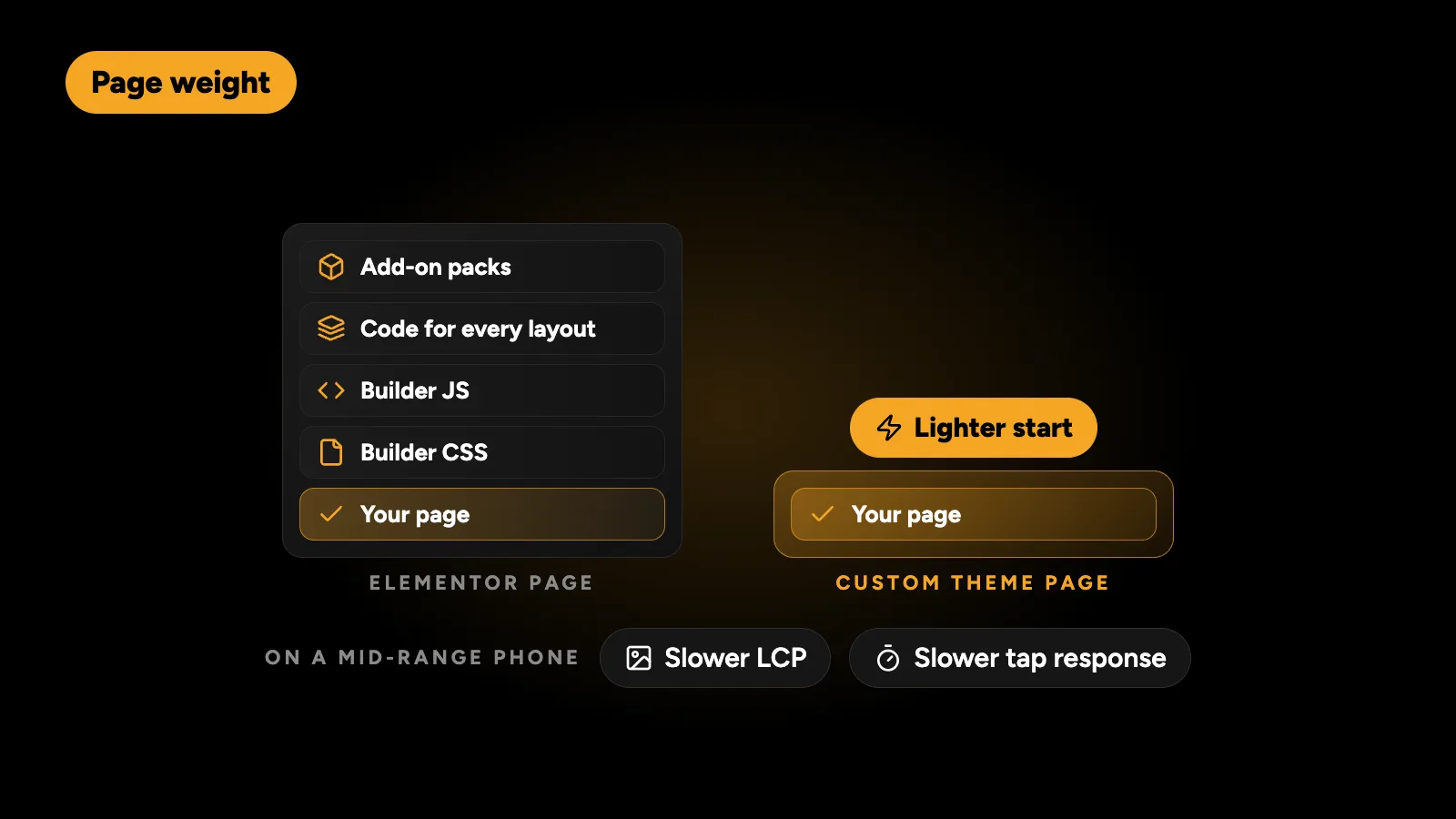
On a fast connection and a desktop screen, you may never notice. On a mid-range phone on mobile data, the extra CSS and JavaScript show up as a slower Largest Contentful Paint and slower responses to taps, which is what Google’s Core Web Vitals measure. A well-built Elementor site with careful image handling and caching can pass. A custom theme just starts from a lighter place. If your builder site is already failing, see how to fix a failed Core Web Vitals assessment on WordPress.
Which is easier for my team to edit?
It depends on who edits and what they change.
- Elementor suits a marketer who wants to build new landing pages from scratch, change layouts and experiment visually.
- A custom theme suits a team that updates content: new services, case studies, team members, prices, FAQs. They fill in fields and the design takes care of itself.
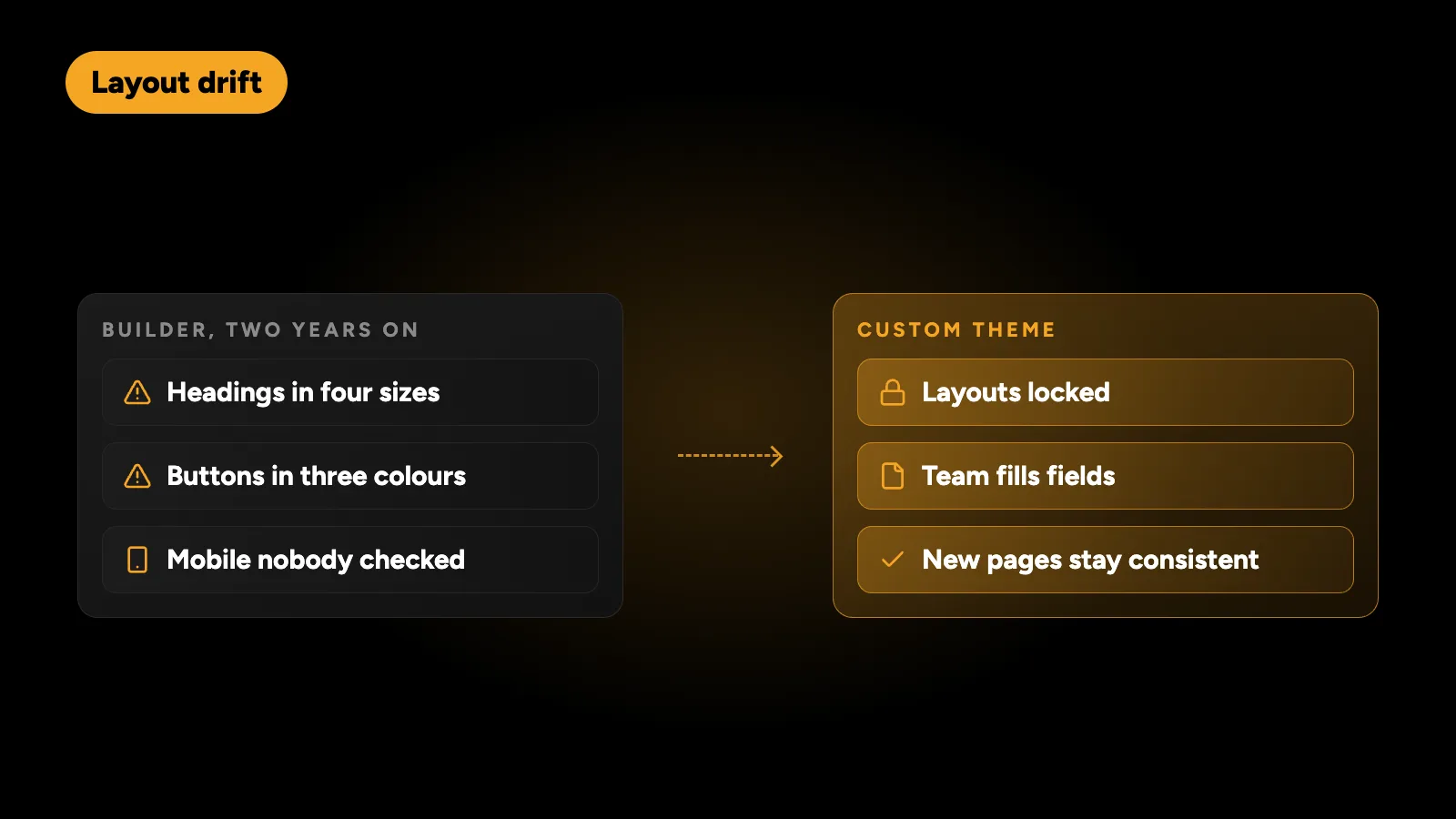
A common problem with builder sites isn’t speed, it is drift. Over two years, many small edits by different people leave headings in four sizes, buttons in three colours and a mobile layout nobody checked. A custom theme prevents that by design. On Technest, a Dubai security company, a dated Elementor site was replaced by a custom bilingual theme with 14 layouts the team fills in themselves, so new pages stay consistent.
What does each option really cost?
The headline price is only the start. Over three years, the comparison looks like this.
| Cost | Elementor or Divi | Custom theme |
|---|---|---|
| Build | Lower | Higher, typically 1.5 to 2.5 times |
| Builder and add-on licences | Yearly | None |
| Speed optimisation | Often needed later | Usually built in |
| Fixing layout drift | Recurring | Rare |
| Redesign | Often a full rebuild | New styles on the same fields |
For actual numbers by project type and by who builds it, see how much a WordPress website costs in 2026.
What is builder lock-in?
Elementor and Divi store your page content inside their own layout data. If you switch the builder off, the content turns into fragments or shortcodes. Moving away later means rebuilding pages, not just changing a theme.
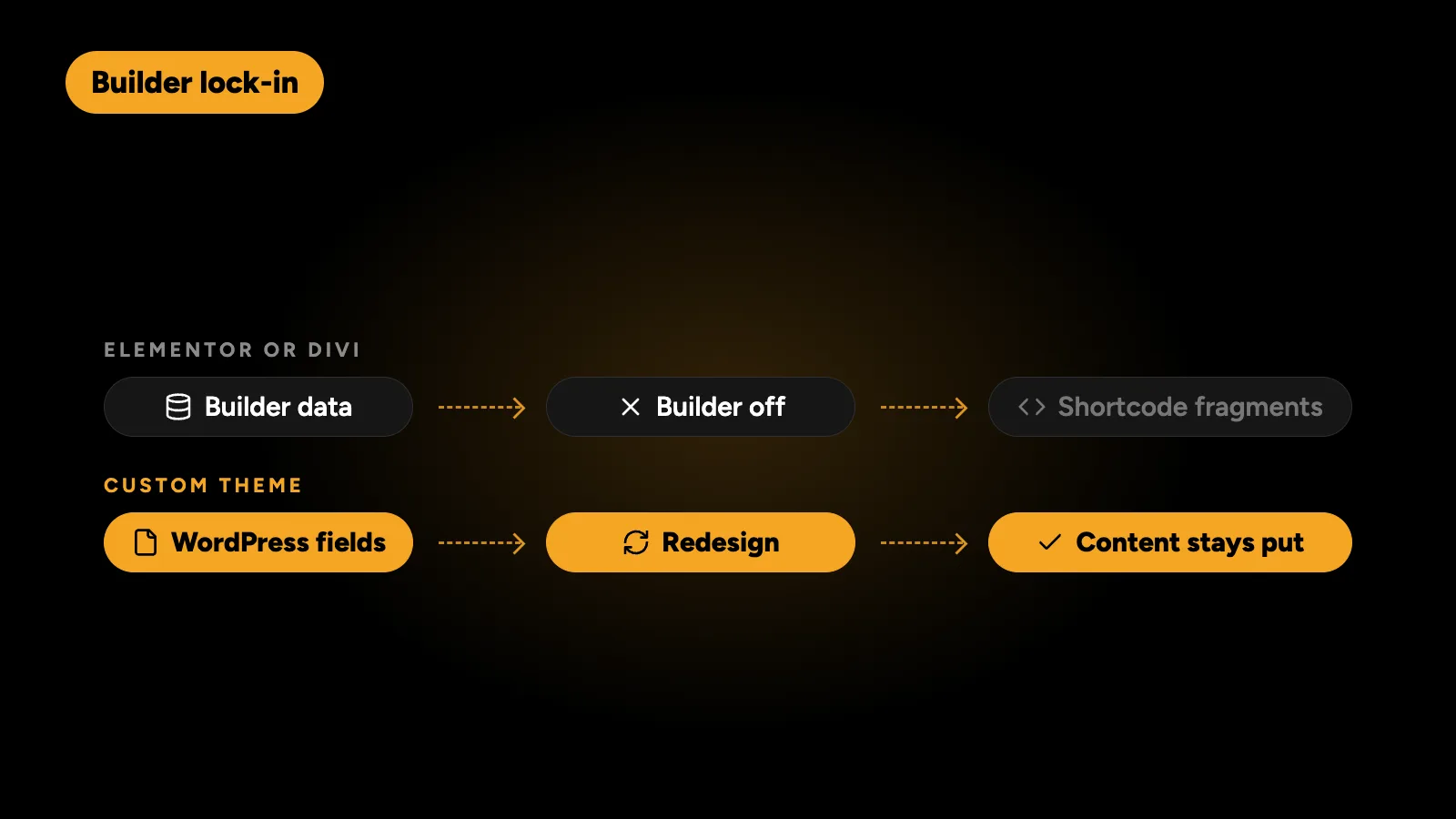
A custom theme built on standard WordPress fields keeps content portable. If you redesign in five years, the content stays where it is and only the presentation changes. That matters more the larger the site grows.
When should I choose Elementor or Divi?
Choose a builder when:
- You need a page live this week for a campaign or event.
- The budget is genuinely tight, and the site is a starting point rather than a long-term asset.
- Your marketing team builds pages themselves and wants full layout control.
- The site already runs on a builder and works well enough. Fixing and speeding it up is often better value than a rebuild.
When should I choose a custom theme?
Choose a custom theme when:
- The site is your main source of leads or sales.
- Speed on mobile matters, because most of your visitors are on phones.
- Several people edit the site and the design must stay consistent.
- You need a second language, especially Arabic, where layouts must work right to left.
- You plan to keep the site for three years or more.
Can I move from Elementor to a custom theme without losing rankings?
Yes, if the move is planned. Keep the same URLs where possible, redirect every URL that changes with a 301, carry over titles, headings and meta descriptions, and keep the content that ranks. I wrote a full checklist in how to redesign a WordPress site without losing Google rankings.
So which should you pick?
If your site is a short-lived campaign or a first version on a small budget, Elementor or Divi is a sensible choice, and a good developer can still make it fast. If it is the site your business depends on for the next few years, a custom theme usually pays for itself in speed, consistency and fewer rebuilds.
I build custom themes by default and work in Elementor, Divi and other builders when they suit the project better. Tell me what you have and what you need, and I’ll recommend one in a fixed quote within 24 hours.