“Core Web Vitals Assessment: Failed” means that real visitors to your site, measured by Chrome over the last 28 days, had a poor experience on at least one of three metrics: LCP (loading), INP (responsiveness) or CLS (visual stability). To pass, 75% of visits must have LCP under 2.5 seconds, INP under 200 milliseconds and CLS under 0.1. On WordPress, the usual causes are a heavy hero image, page builder and plugin JavaScript, and images or ads that load without reserved space.
The good news: each failing metric points to a short list of likely causes, and they can be fixed in a sensible order.
What does “assessment failed” actually mean?
The assessment at the top of PageSpeed Insights is not the Lighthouse score underneath it. It comes from the Chrome User Experience Report (CrUX), which collects anonymous data from real Chrome users visiting your site.
- It covers the last 28 days, so changes take time to show.
- It is judged at the 75th percentile: your slowest quarter of visits decide the result.
- Mobile and desktop are assessed separately, and mobile is usually the one that fails.
- If your site has too little traffic, you will see no field data at all and only the lab test.
So a page can score 90 in the lab and still fail, because real phones on real networks are slower than the test. Treat the lab score as a diagnostic tool and the field data as the result.
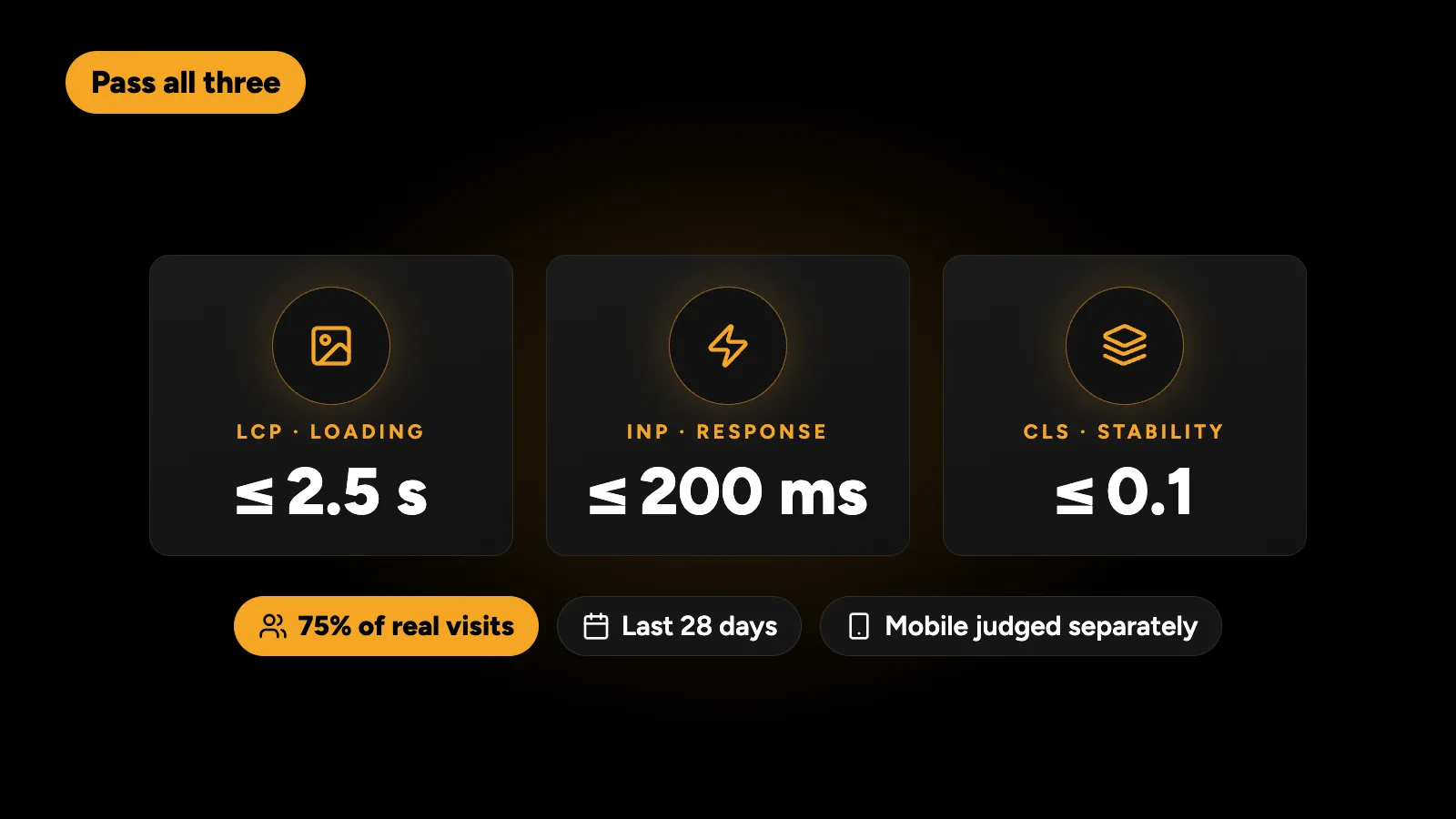
| Metric | Measures | Good | Needs improvement | Poor |
|---|---|---|---|---|
| LCP (Largest Contentful Paint) | When the main content appears | ≤ 2.5 s | 2.5–4 s | > 4 s |
| INP (Interaction to Next Paint) | How fast the page responds to taps and clicks | ≤ 200 ms | 200–500 ms | > 500 ms |
| CLS (Cumulative Layout Shift) | How much the layout jumps while loading | ≤ 0.1 | 0.1–0.25 | > 0.25 |
Google’s own explanation of the thresholds is on web.dev.
Which metric is failing?
Open PageSpeed Insights, run your URL and look at the field data section. Note which metrics are red or amber on mobile. Then check Search Console under Core Web Vitals, which groups failing URLs by issue, so you can see whether one template is the problem or the whole site.
Fix the worst metric first. On WordPress, LCP is the most common failure, INP is the hardest, and CLS is usually the quickest win.
How do I fix a slow LCP on WordPress?
LCP is usually the hero: a large image, a slider or a big heading block. The common causes and fixes are:
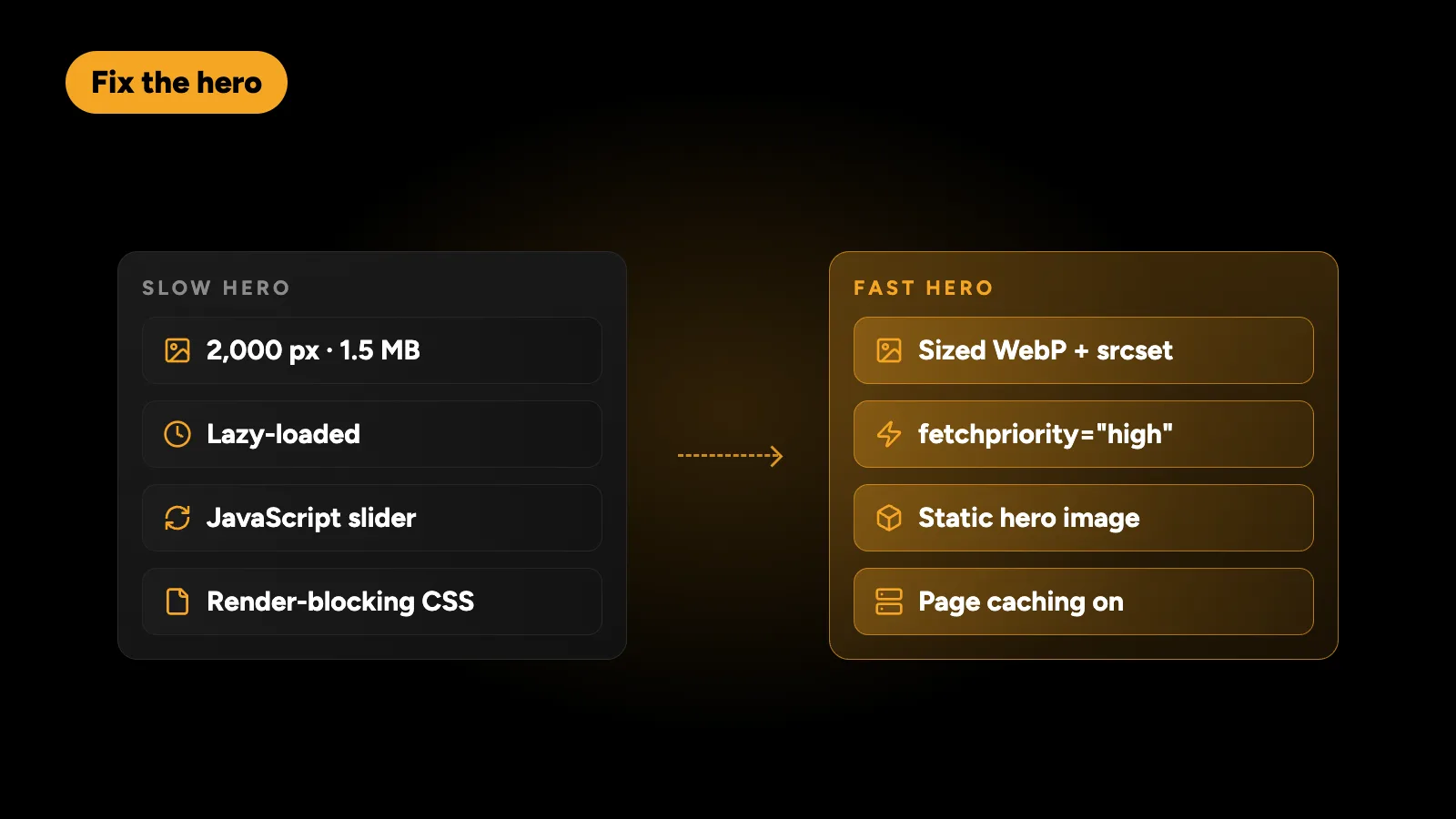
- The hero image is too large. A 2,000-pixel, 1.5 MB photo on a phone is the classic problem. Serve a correctly sized WebP or AVIF version, with responsive
srcsetsizes. - The hero image is lazy-loaded. Lazy loading is good below the fold and harmful for the main image. Exclude the LCP image from lazy loading and give it
fetchpriority="high". - Slow server response. If Time to First Byte is high, no front-end fix will save you. Use page caching, and consider better hosting.
- Render-blocking CSS and fonts. Builders and themes often load large stylesheets and several font files before anything shows. Remove unused CSS, preload the main font and use
font-display: swap. - Sliders and carousels. A slider that waits for JavaScript before showing the first slide delays LCP. A static hero almost always performs better.
How do I fix a poor INP on WordPress?
INP measures how quickly the page responds after someone taps or clicks. A bad INP means the browser is busy running JavaScript when the visitor interacts. On WordPress the usual culprits are:
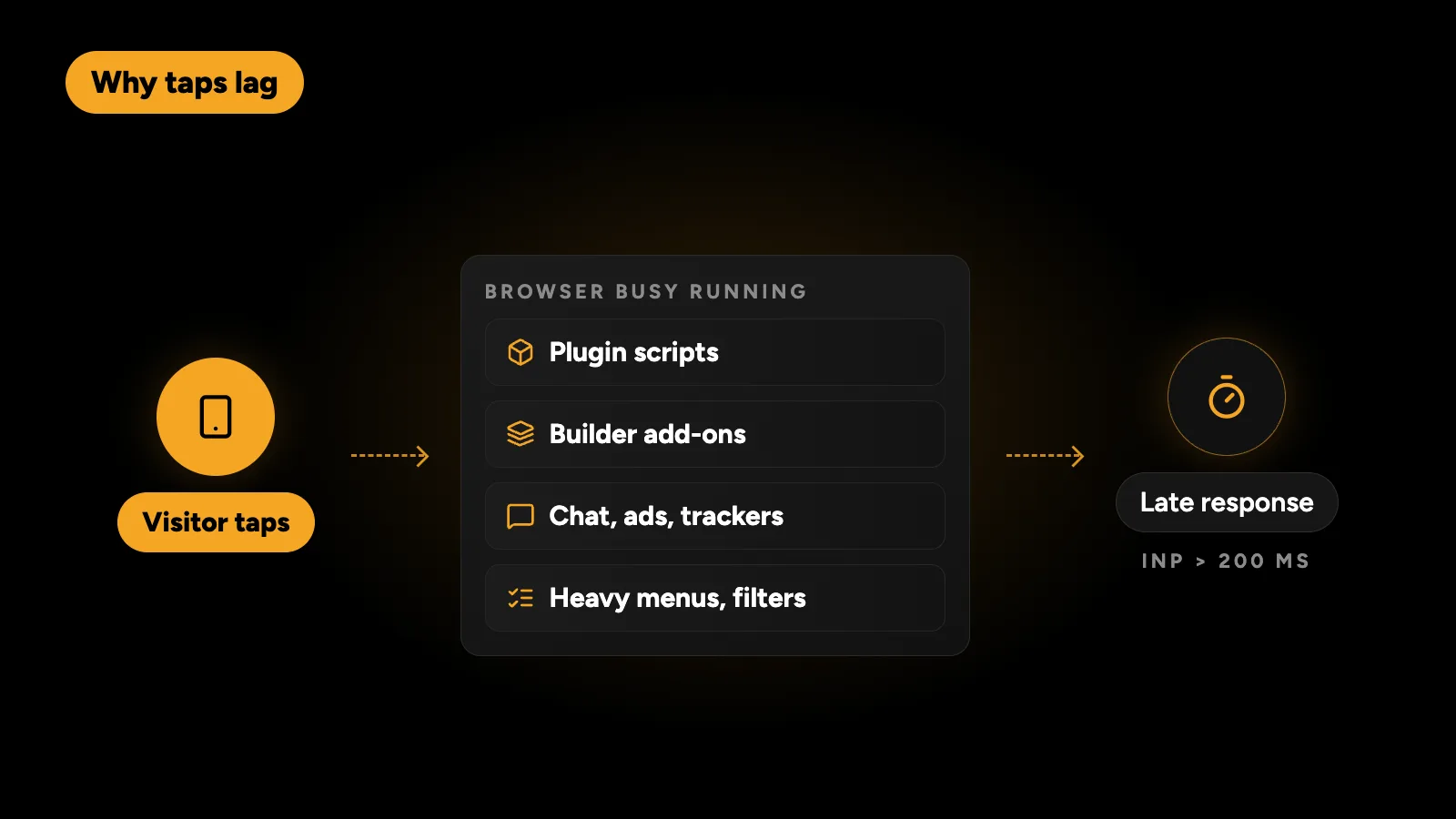
- Too many plugins adding scripts to every page, including ones only needed on one page.
- Page builder and add-on scripts for animations, sliders and effects.
- Third-party tags: chat widgets, heatmaps, several analytics tools and ad scripts.
- Heavy menus and filters that run large scripts on each tap.
Fixes, in order: remove what you don’t need, load scripts only on the pages that use them, delay non-essential third-party tags until after the first interaction, and break up long-running scripts. INP is where a lighter theme helps most, which is one reason I compare Elementor and a custom theme on more than looks.
How do I fix CLS on WordPress?
Layout shift happens when something appears and pushes content down. The fixes are usually straightforward:
- Give every image and video width and height attributes, so the browser reserves space.
- Reserve space for ads, embeds and cookie banners.
- Avoid inserting content above existing content after load, such as late notification bars.
- Load web fonts carefully, so text doesn’t reflow when the font arrives.
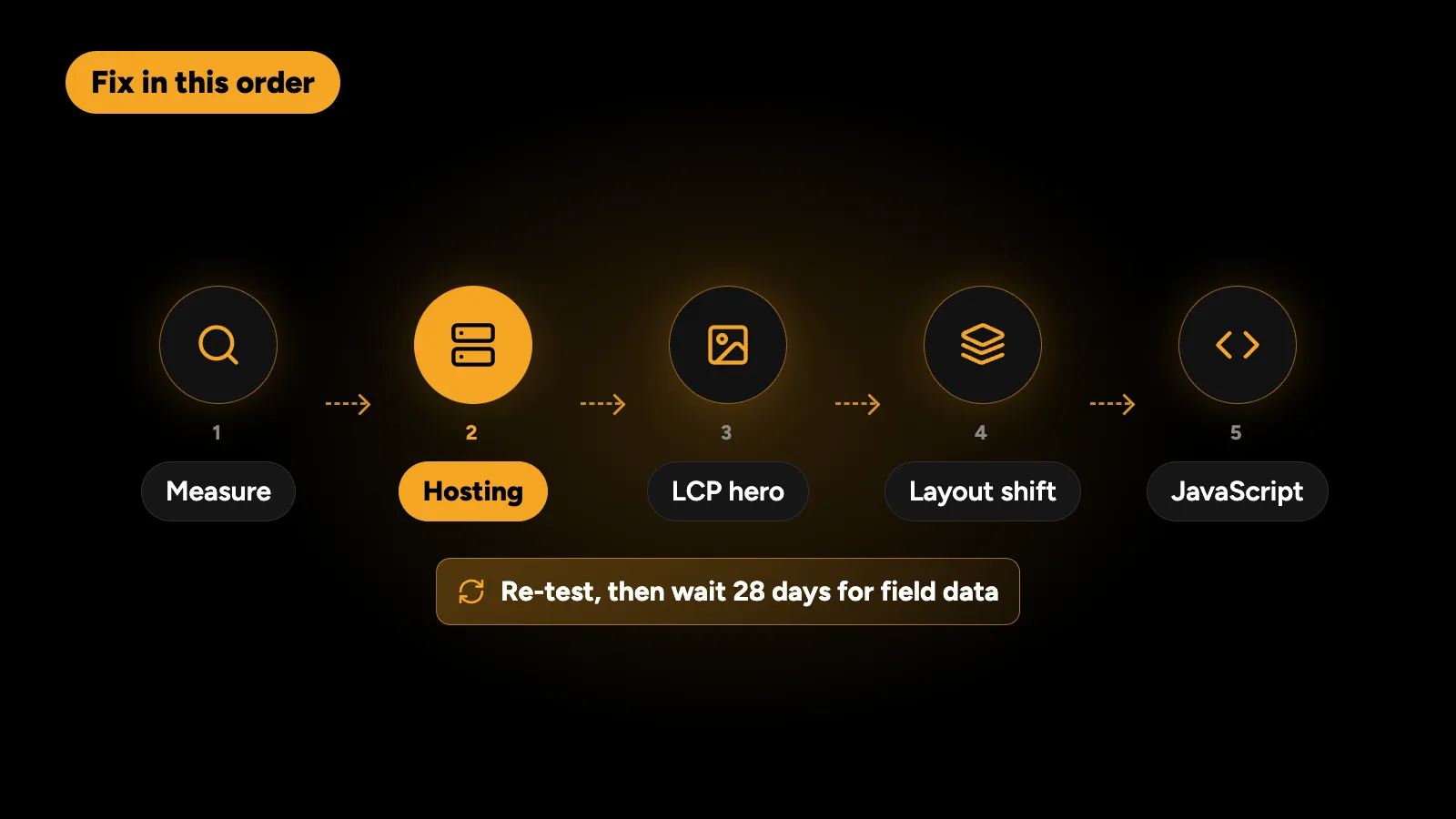
In what order should I fix things?
- Measure: note the failing metrics and templates from PageSpeed Insights and Search Console.
- Hosting and caching: fix slow server response first, because it affects everything.
- The LCP element: size, format and priority of the hero.
- Layout shifts: image dimensions and reserved space.
- JavaScript: plugins, builder add-ons and third-party tags.
- Re-test in the lab, then wait for field data to update.
For the broader version, covering hosting, database care and media, see my WordPress performance checklist.
How long until the assessment passes?
Because field data covers 28 days, an improvement shows gradually. In Search Console you can click Validate fix, and Google monitors the affected URLs for about 28 days before confirming. If the fix is real, the PageSpeed Insights assessment turns green over the same period.
Does a failed assessment hurt my rankings?
Core Web Vitals are part of Google’s page experience signals. They rarely outrank relevance and content quality, but they can tip close results, and slow mobile pages also lose visitors before they convert. Most businesses fix them for the conversions as much as for the rankings.
When is it time to rebuild instead of optimise?
Optimisation is usually the right first step. A rebuild makes sense when the site depends on a heavy builder plus many add-ons, when every fix breaks something else, or when you are planning a redesign anyway. If you rebuild, protect your rankings with the steps in how to redesign a WordPress site without losing Google rankings.
I fix slow WordPress sites until they pass Core Web Vitals on mobile, usually without a redesign. Send me the URL and you’ll get a fixed quote within 24 hours.