A vibe-coded app is safe to launch only if it passes a few checks that AI tools often miss: no secret keys in the browser, database rules that stop users reading each other’s data, payments confirmed by the server rather than the browser, and backups, error alerts and your own hosting. Most AI-built apps have a sound design and a handful of dangerous gaps. You can check the biggest ones yourself in under an hour.
AI coding tools such as Lovable, Bolt, Cursor, Replit and ChatGPT are genuinely good at building screens and flows quickly. They are less reliable at the parts users can’t see. This checklist covers those parts.
What is a vibe-coded app?
“Vibe coding” means building software by describing what you want to an AI and accepting the code it writes, often without reading it closely. It is a fast way to reach a working demo. The risk is that “it works when I click through it” and “it is safe with real users and real money” are different standards, and the second needs deliberate checking.
Check 1: Are secret keys exposed in the browser?
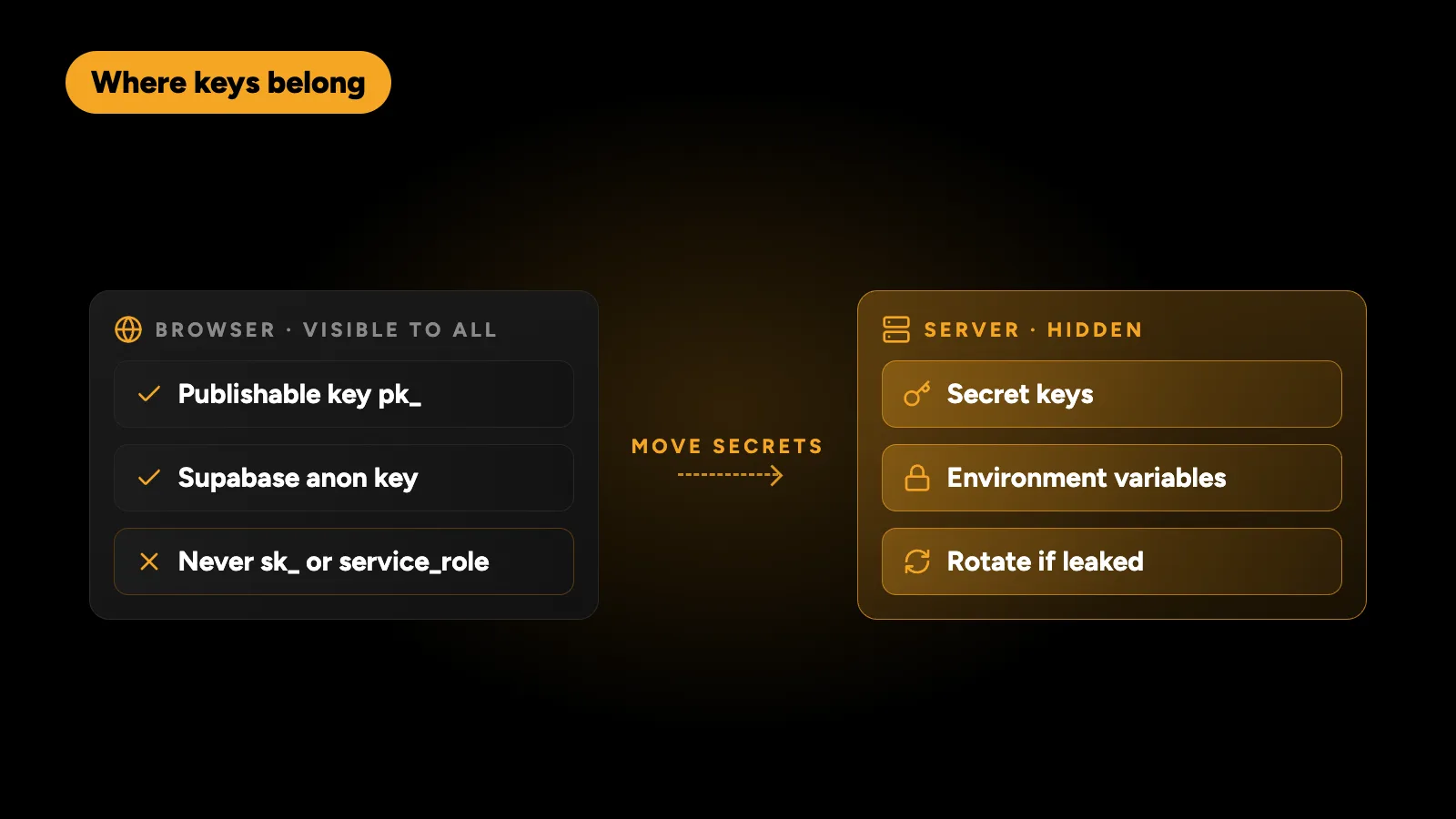
Why it matters: anything in your front-end code is visible to every visitor. A secret key for Stripe, OpenAI, a database admin role or an email service lets anyone use that service as you, and charge it to you.
How to check:
- Open your live app in Chrome, press F12 and open the Sources or Network tab.
- Search the loaded files for
sk_,secret,service_role,apiKeyandpassword. - Check your repository for
.envfiles committed by mistake.
What’s fine: public keys designed for the browser, such as a Stripe publishable key (pk_) or a Supabase anon key, if your database rules are correct.
Fix: move secret keys to server-side code or environment variables, and rotate any key that was ever exposed. Rotation matters: a key that leaked once must be treated as compromised.
Check 2: Can one user read another user’s data?
Why it matters: this is the most common serious flaw in AI-built apps, and it appears in the OWASP Top 10 as broken access control.
How to check:
- Create two test accounts.
- As user A, open a page showing your own data and note the ID in the URL or the request.
- Log in as user B and try the same URL or request with A’s ID.
- If B sees A’s data, you have a problem.
If you use Supabase: check that row-level security is enabled on every table and that each policy limits rows to the signed-in user (or their team). A table with RLS switched off is readable by anyone holding the anon key, which is public by design. See the Supabase row-level security docs.
If you use Firebase: open your Firestore and Storage security rules. Rules that allow read, write: if true, or any rule that only checks that a user is logged in without checking which data they own, need fixing.
Check 3: Do payments unlock features safely?
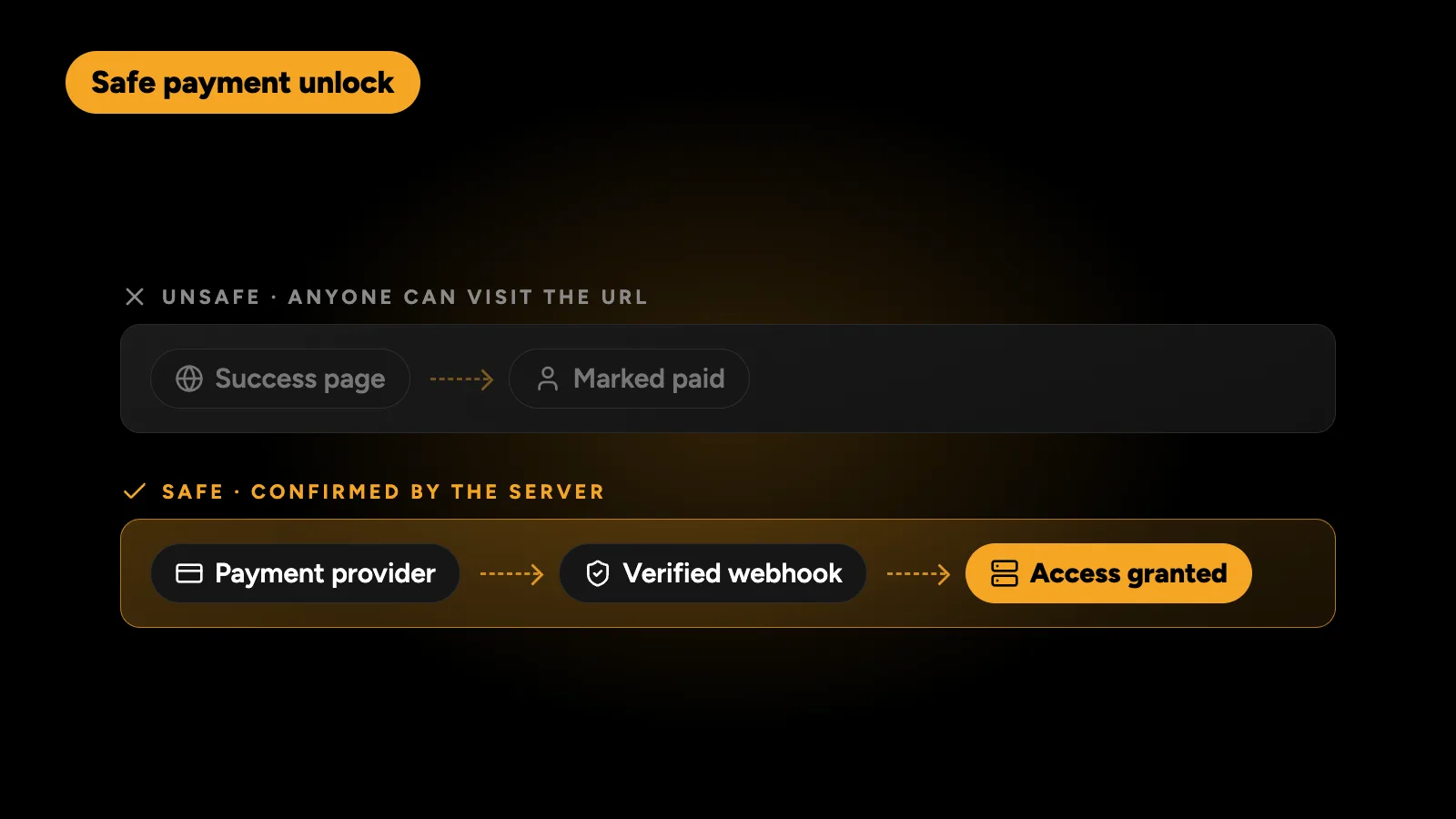
Why it matters: many AI-built apps unlock a paid plan when the browser reaches a “thank you” page. Anyone who visits that URL directly gets the paid plan free.
How to check:
- Find where your app marks a user as paid.
- If it happens in front-end code, or on a success page, it isn’t safe.
Fix: grant access only from a payment webhook that your server receives from Stripe (or your provider) and verifies with the webhook signing secret. Handle cancellations, failed renewals and refunds the same way, so access ends when payment does.
Also: test in live mode with a real card, then refund it. Test mode hides missing live keys and unregistered webhooks.
Check 4: Is input validated on the server?
Front-end validation is for user experience. Server-side validation is for security. Check that your API rejects bad input, limits file upload types and sizes, and doesn’t build database queries by joining strings together. Ask the AI tool directly where server-side validation happens; if the answer is vague, it may not exist.
Check 5: Who owns the code and the hosting?
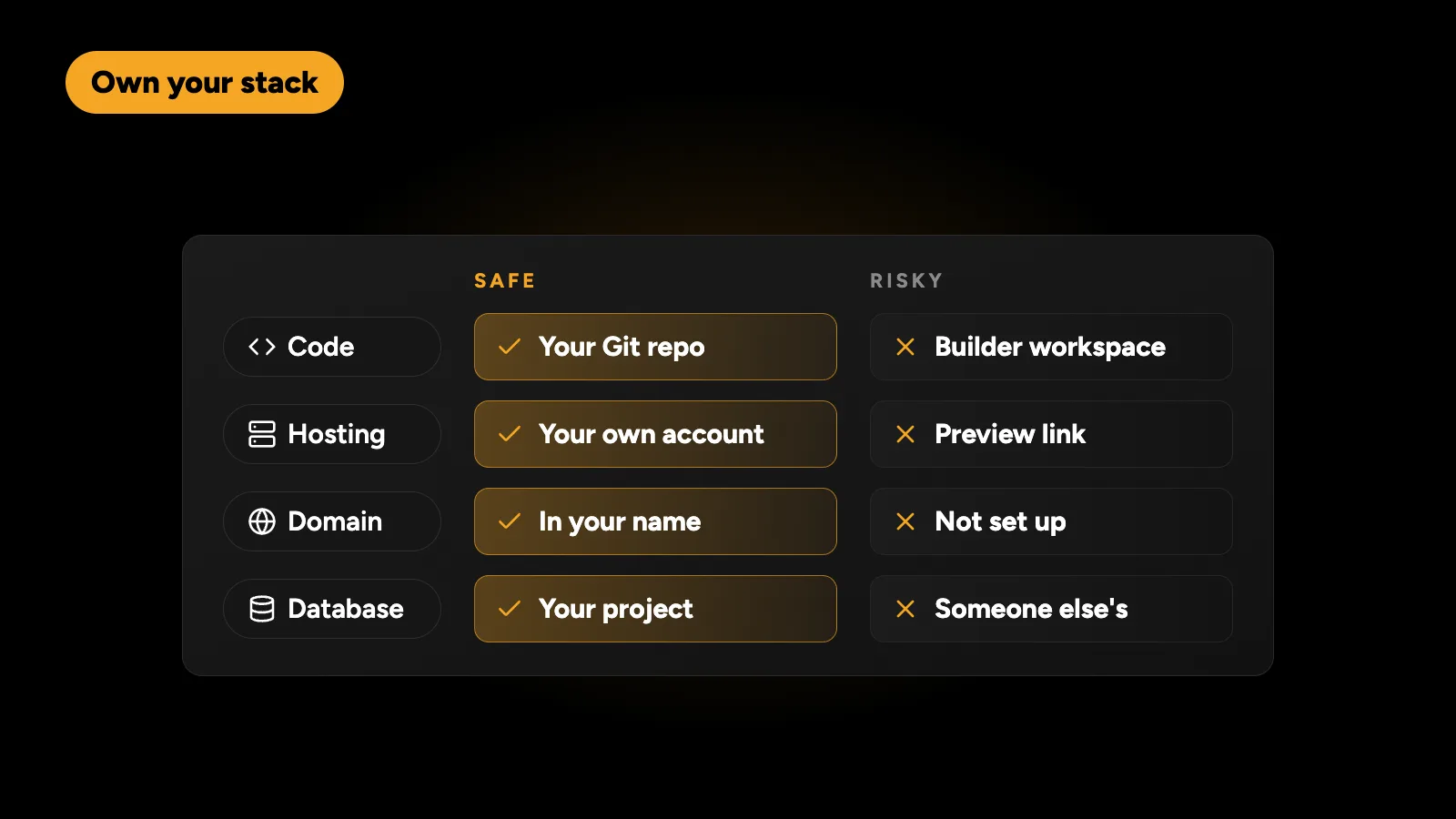
| Item | Safe | Risky |
|---|---|---|
| Code | In a Git repository you own | Only inside the builder’s workspace |
| Hosting | Your own account on Vercel, Netlify, a VPS or similar | The builder’s preview link |
| Domain | Registered in your name | Not set up |
| Database | Your own Supabase or Firebase project | Created under someone else’s account |
Export or sync the code to GitHub early. It protects you from platform changes and lets any developer help you later.
Check 6: Backups, alerts and logs
- Daily database backups, and one test restore. A single bad prompt or migration can delete real data.
- Error alerts with a tool such as Sentry, so you hear about crashes before users email you.
- Basic logs of sign-ins and payments, so you can investigate problems.
Check 7: The legal basics
Payment providers and app stores expect a privacy policy and terms of service. If you collect personal data from people in the UK, EU or other regulated regions, your policy should say what you collect and why.
A one-page summary
| Check | Pass if | Time to check |
|---|---|---|
| Secret keys | None visible in the browser or the repo | 10 minutes |
| Data access | User B can’t load user A’s data | 15 minutes |
| Payments | Access granted only by a verified webhook | 15 minutes |
| Server validation | API rejects bad input | 10 minutes |
| Ownership | Code, hosting, domain and database in your name | 10 minutes |
| Backups and alerts | Daily backups, tested restore, error alerts | 15 minutes |
Should I rebuild or fix it?
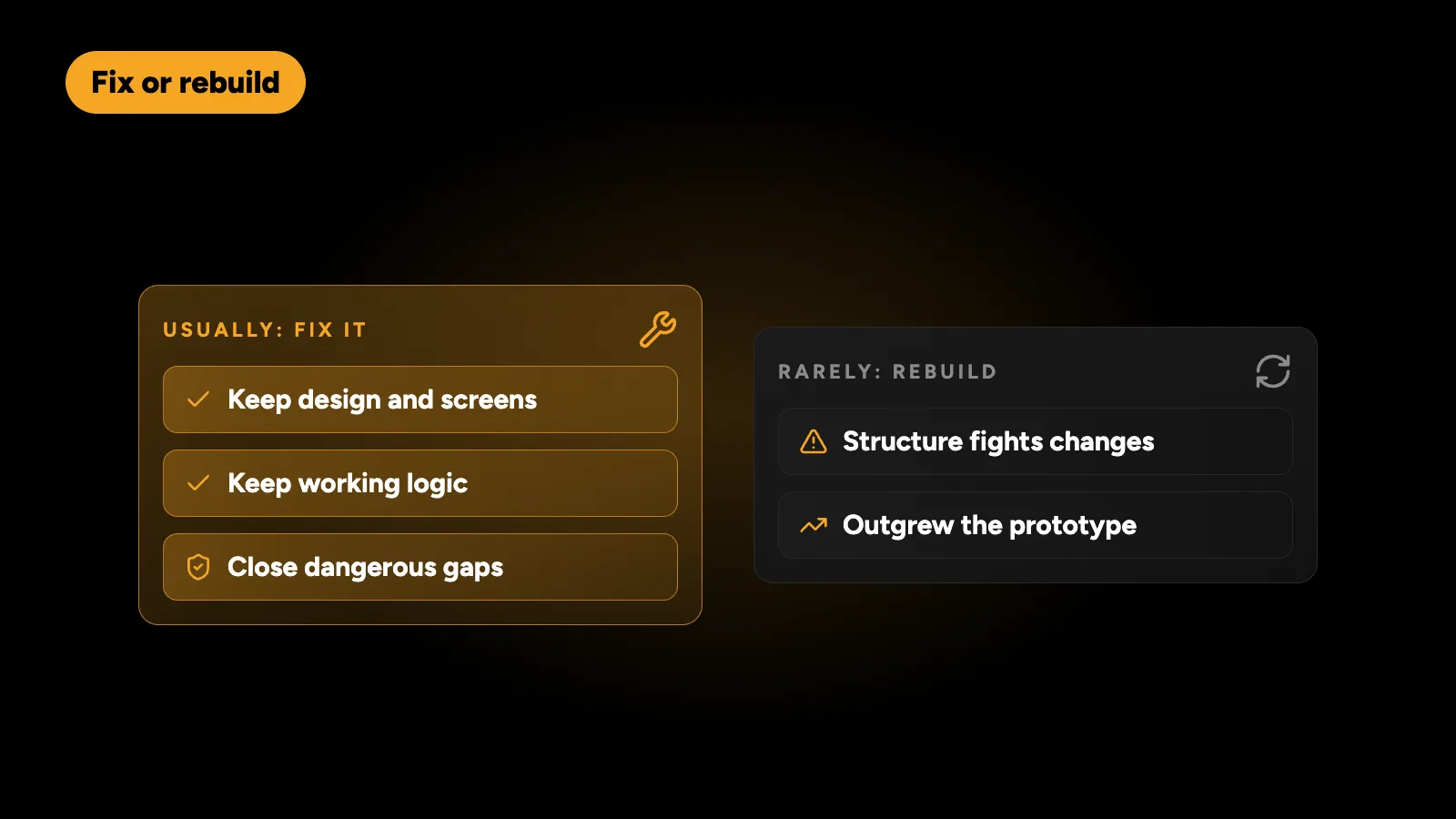
Usually fix it. Most vibe-coded apps don’t need a rewrite. The design, screens and much of the logic are often fine. A focused review finds the dangerous gaps, and fixing those is far cheaper than starting over. A rebuild makes sense only when the structure fights every change, or when the product has grown far beyond what the prototype was built for. For a sense of what a properly scoped build costs, see how much an MVP costs.
Can I keep using AI tools afterwards?
Yes. Once the risky parts are protected and the code is organised, AI tools remain a fast way to add features. Ask them to explain their changes, review anything that touches login, data access or payments, and keep the checks above as a habit before each release. The same thinking applies when choosing what to build on in the first place, which I cover in choosing the right stack for a digital product.
I review and fix AI-built apps: secret keys, Supabase or Firebase rules, Stripe webhooks, bugs and deployment to your own hosting, keeping what already works. Send me the repository and get a fixed quote within 24 hours.