To add subscriptions to a Flutter app, use the official in_app_purchase plugin (StoreKit on iOS, Google Play Billing on Android) or a service such as RevenueCat, and make your server the source of truth: the app sends each purchase to your backend, the backend verifies it with Apple or Google, stores the entitlement and listens for renewals, cancellations and refunds through store notifications. Most subscription bugs come from trusting the phone instead of the server.
This guide walks through the whole setup, the bugs that catch most teams, and how to test before store review.
What are the main parts of a subscription system?
| Part | Where it lives | Job |
|---|---|---|
| Store products | App Store Connect and Google Play Console | Define subscriptions, prices, trials and groups |
| Purchase flow | Flutter app | Show products, start purchases, listen for updates |
| Verification | Your backend | Confirm each purchase with Apple or Google |
| Entitlements | Your database | Record who has access to what, and until when |
| Notifications | Your backend | Receive renewals, cancellations, refunds and billing issues |
| Restore | Flutter app and backend | Give access back on a new phone |
Which Flutter package should I use?
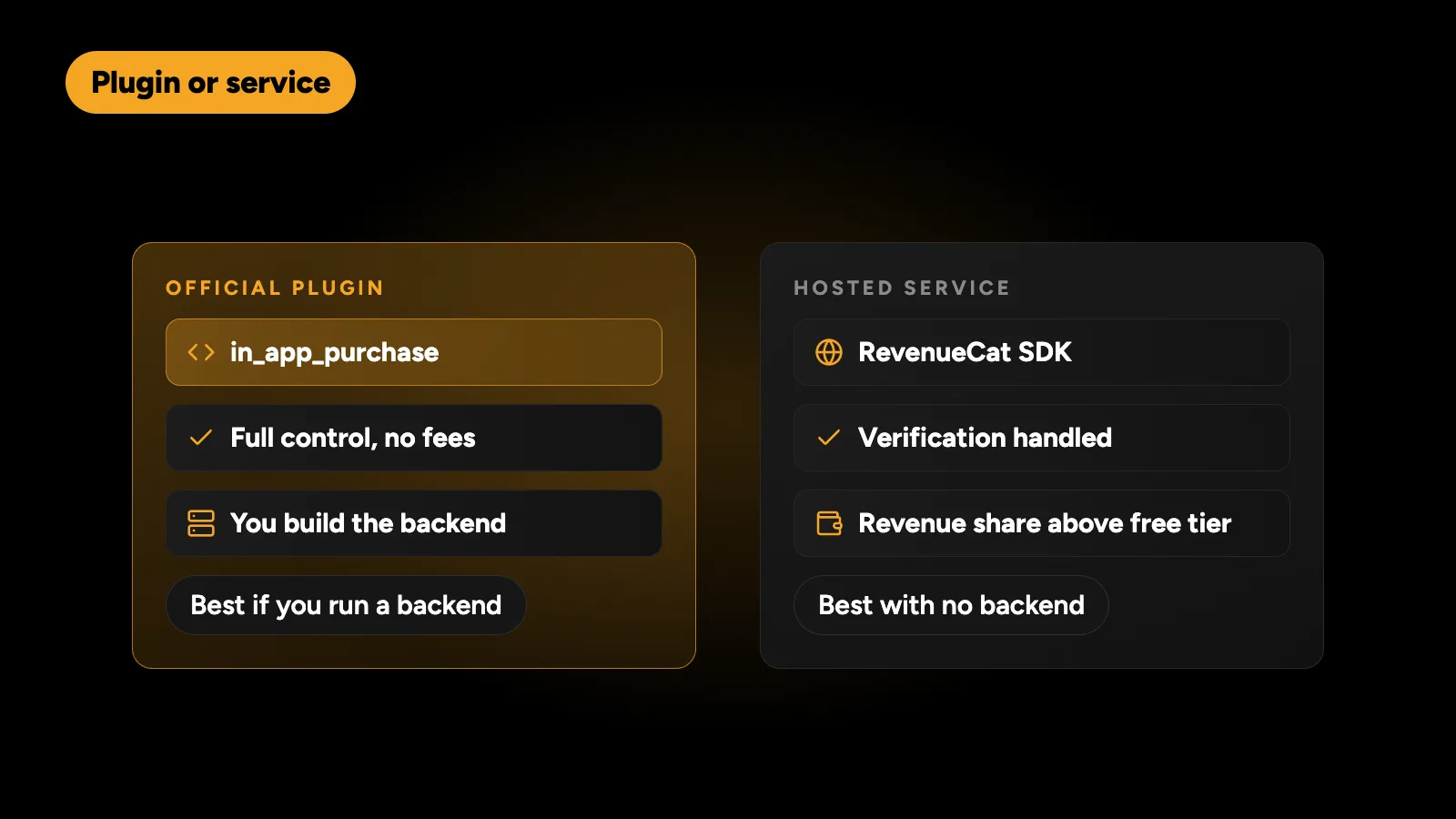
in_app_purchase is the official Flutter plugin, maintained by the Flutter team on pub.dev. It wraps StoreKit on iOS and the Google Play Billing Library on Android. It gives you full control and no extra fees, but you build verification, entitlements and notification handling yourself.
RevenueCat is a hosted service with a Flutter SDK. It handles receipt verification, entitlements, cross-platform status and analytics, and charges a share of revenue above a free tier. It is a reasonable choice for teams that want subscriptions working quickly without building backend logic.
Neither is wrong. If you already run a backend and want full control of user data, the official plugin plus your own server is a good fit. If you have no backend, RevenueCat saves a lot of work.
How does the purchase flow work in the app?
The core pattern with in_app_purchase is to listen to the purchase stream as soon as the app starts, not only when a purchase button is tapped, because purchases can complete later or be restored.
final iap = InAppPurchase.instance;

void initPurchases() {
  iap.purchaseStream.listen((purchases) async {
    for (final p in purchases) {
      if (p.status == PurchaseStatus.purchased ||
          p.status == PurchaseStatus.restored) {
        final ok = await api.verifyPurchase(p.verificationData); // your backend
        if (ok) await refreshEntitlements();
      }
      if (p.pendingCompletePurchase) {
        await iap.completePurchase(p);
      }
    }
  });
}
Key points:
- Load products with
queryProductDetailsusing the IDs from the store consoles. - Start a subscription with
buyNonConsumableand the chosen product. - Verify on the server before granting access.
- Complete the purchase. On Android, purchases that aren’t acknowledged within three days are automatically refunded.
- Handle pending purchases. Some payment methods take time; show a “processing” state instead of an error.
How do I verify purchases on the server?
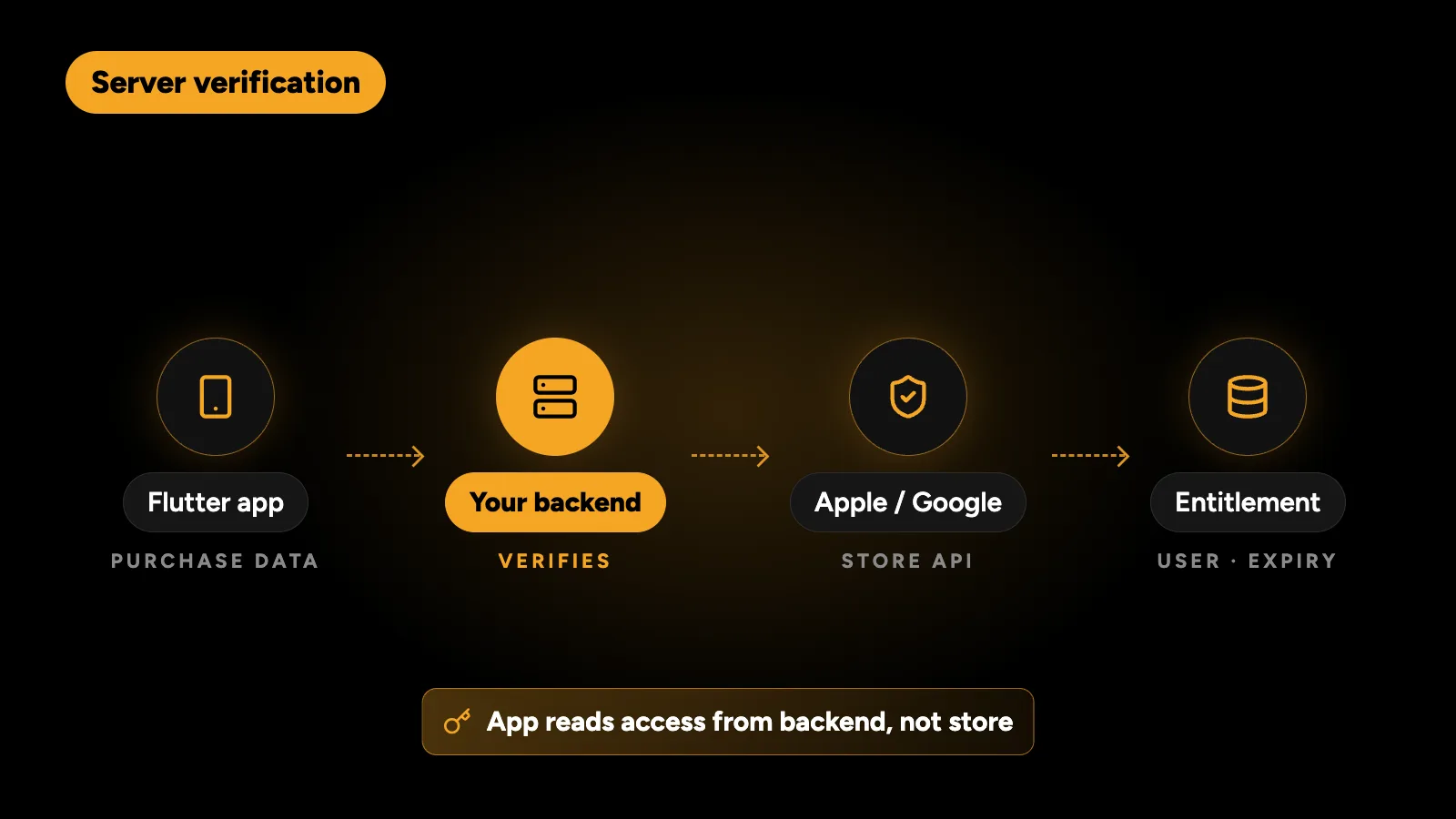
The app sends the purchase’s verification data to your backend. The backend then:
- For Apple: validates the transaction using the App Store Server API, and stores the original transaction ID so later renewals and restores link to the same customer.
- For Google: calls the Google Play Developer API to check the purchase token, then acknowledges it if the app hasn’t.
Then it writes an entitlement record: user, product, expiry date and status. The app asks your backend for the user’s entitlements, not the store.
How do I handle renewals, cancellations and refunds?
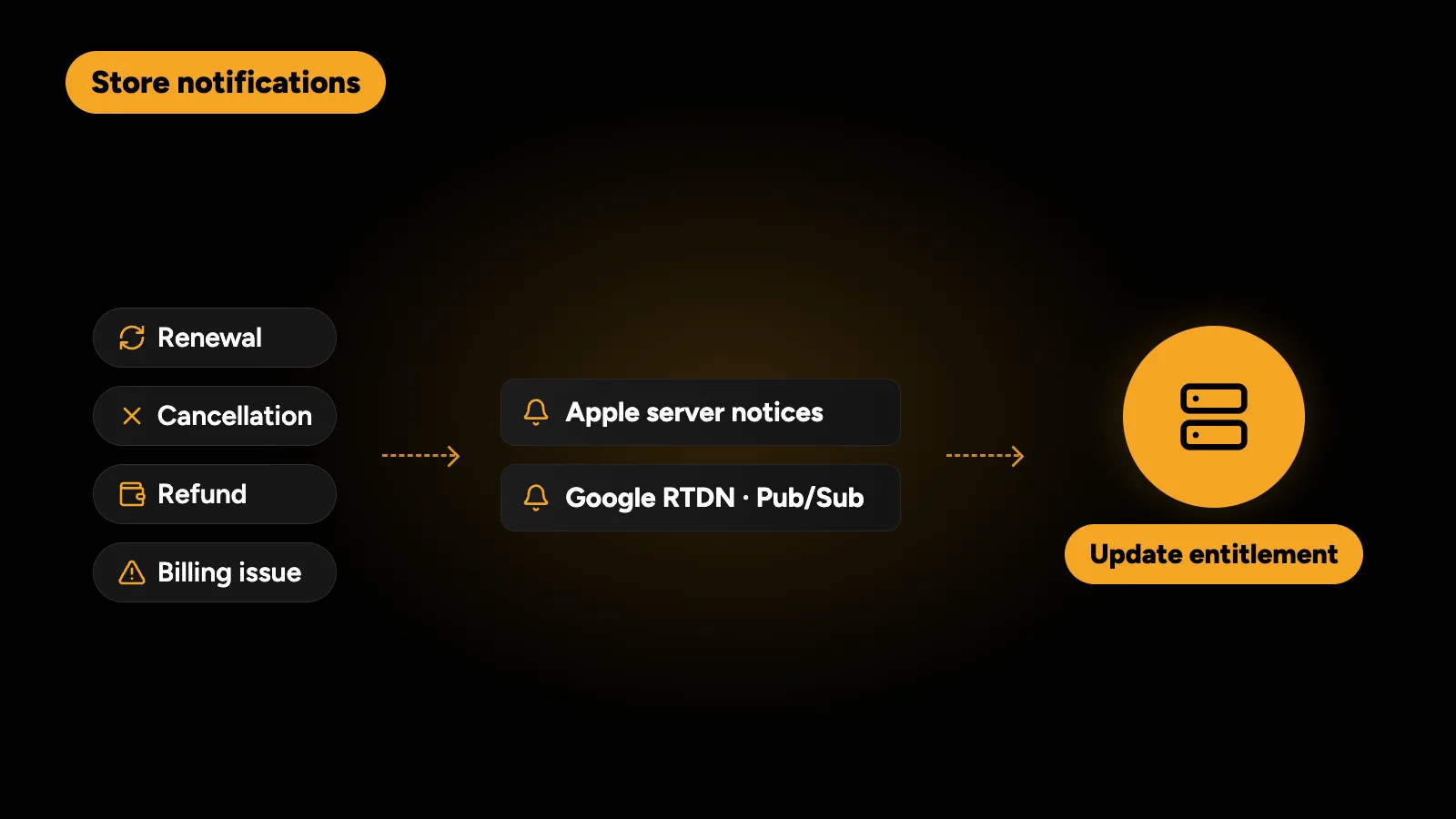
Subscriptions change without the app being open. A renewal happens at night, a user cancels in their phone settings, a refund is granted. Your backend must hear about these:
- Apple: App Store Server Notifications V2 send signed messages to a URL you configure.
- Google: Real-time Developer Notifications are delivered through Google Cloud Pub/Sub.
On each notification, update the entitlement. Without this, cancelled users keep premium access until they next open the app, or paying users lose it after a renewal.
What are the most common subscription bugs?
| Symptom | Usual cause | Fix |
|---|---|---|
| User paid but still sees the paywall | App checks local state, or verification failed silently | Server as source of truth, retry verification |
| Restore Purchases does nothing | No restore call, or restored purchases not verified | Call restorePurchases and verify each result |
| Cancelled users keep premium | No store notifications | Handle Apple and Google notifications |
| Android refunds after three days | Purchase never acknowledged | Complete or acknowledge every purchase |
| Trial offered twice | Eligibility not checked | Let the store decide eligibility; don’t fake trials in the app |
| Access lost on a new phone | Entitlement tied to the device | Tie entitlements to the user account |
What do Apple and Google require on the paywall?
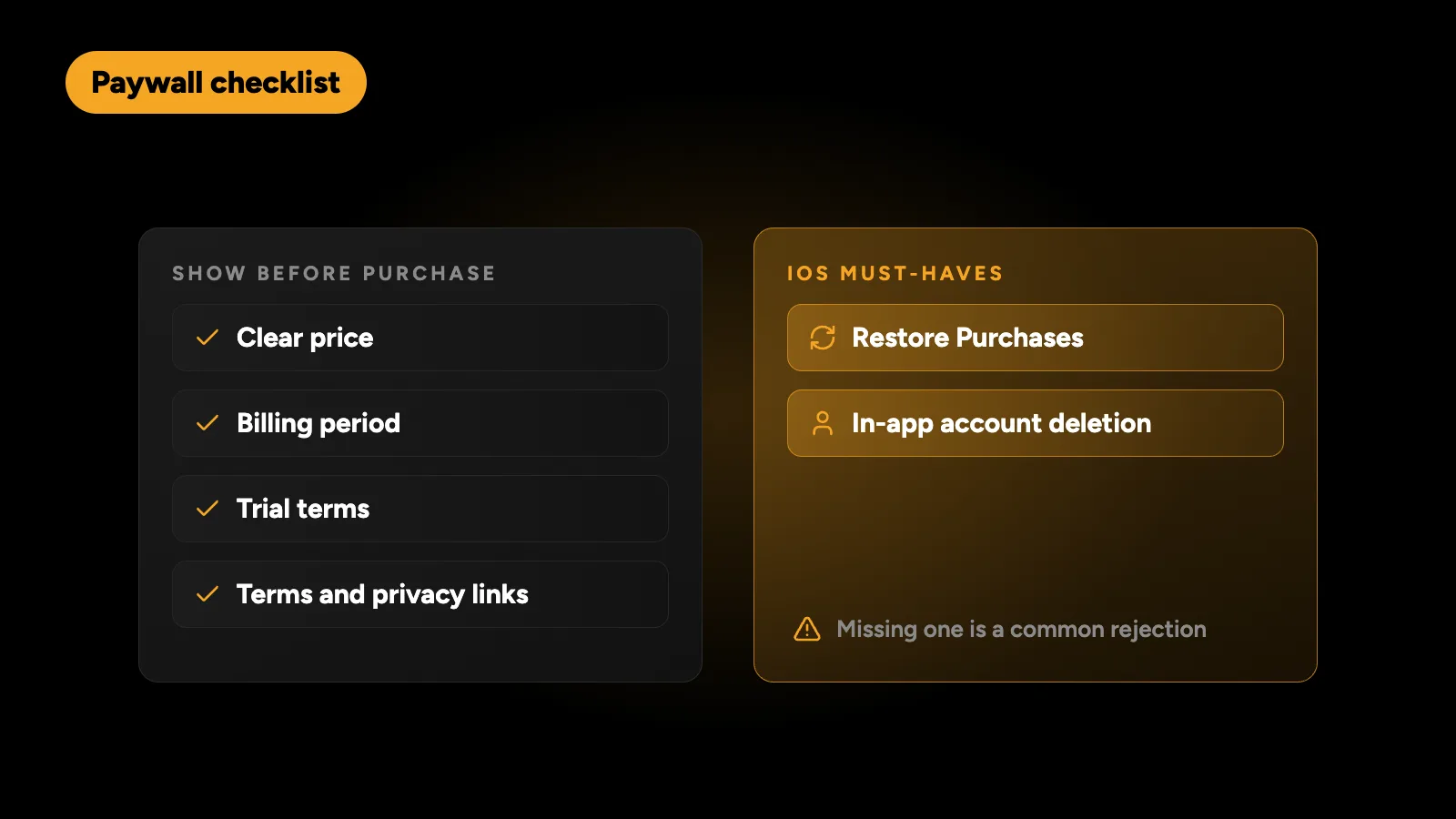
Store review is strict about subscriptions. Your paywall should show the price, the billing period and the trial terms clearly before purchase, link to your terms and privacy policy, and include a working Restore Purchases option on iOS. Apps with sign-up must also offer account deletion inside the app on iOS. Missing any of these is a common rejection reason.
How do I test subscriptions?
- iOS: use a StoreKit configuration file for fast local testing in Xcode, then sandbox testers in App Store Connect. Sandbox renewals are accelerated, so a monthly subscription renews every few minutes.
- Android: add license testers in Play Console and publish to an internal testing track. Test subscriptions also renew on an accelerated schedule.
- Test the full cycle: buy, renew, cancel, expire, restore on a second device, refund and a failed payment.
- Test your backend notifications in both sandbox and production configurations.
How I build subscriptions in Flutter
On CRUD Review, the Flutter app is live on the App Store and Google Play with subscriptions and a three-day free trial through both stores’ billing. The backend, built with Node.js and PostgreSQL, is the source of truth for every user’s access, and the app’s state is managed with BLoC, so each screen shows exactly what the backend says the user owns.
If you’re planning a new app, how much a Flutter app costs gives realistic budgets, including the store commission on subscriptions. If you’re still deciding on platform, start with web app or mobile app.
I build and fix in-app purchases and subscriptions in Flutter apps on StoreKit 2 and Google Play Billing, with server verification and store notifications. Tell me what’s going wrong and get a fixed quote within 24 hours.